
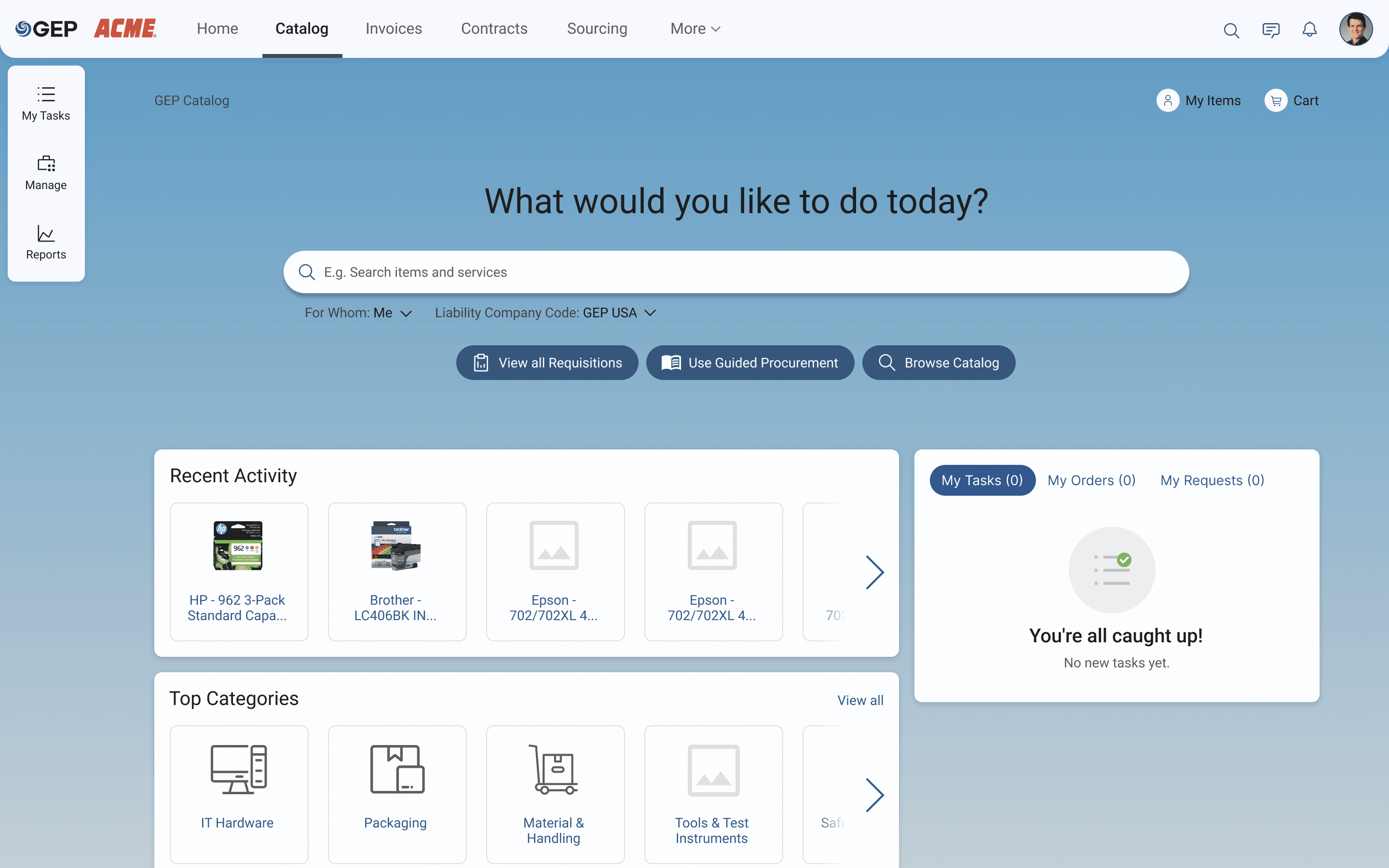
About
Helping employees and purchasing professionals place an order for items/services offered by vendors for internal use.
Problem Space
Poor B2B experience led to sales decline. GEP Marketing Survey Rating: Ease-of-use: Avg. 2.48/5 (Total respondents: 366)
Task
I was assigned to understand, document and design P2P buying experience for all user expertise, including first-time casual user and procurement manager.
Role
UX Designer (IC and Lead)
Team
2 UX, 2 Researchers, 7 PMs, 1 SME, Sales and Engg
Duration
1 year 2 months
Opportunity
A product people were giving up on.
A marketing-led B2B survey of 366 enterprise users came back with damning scores. Catalog adoption was falling. Sales were declining. UX was the root cause.
2.71/5
User Satisfaction (2022)
2.48/5
Ease-of-use Rating
28%
Sales Decline
366
survey respondants
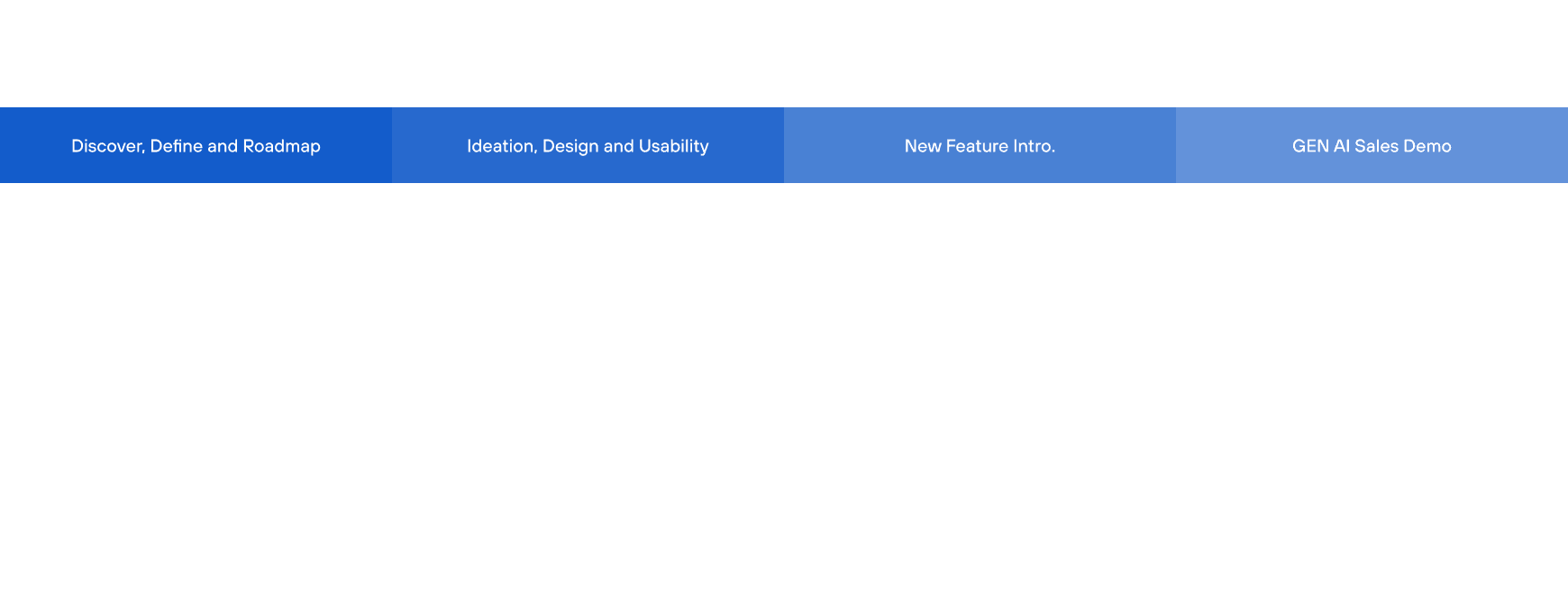
Design Process and Deliverables
"It is frustrating to find out what I'm looking for when I just need to order some office supplies."
-Survey Participant
"How to start shopping?"
-Survey Participant
"I'd have given more score if we had less steps to get to place an order."
-Survey Participant
"Can search results be less useless?
-Survey Participant
Survey data.
Competitive audit.
Three focused pain points.
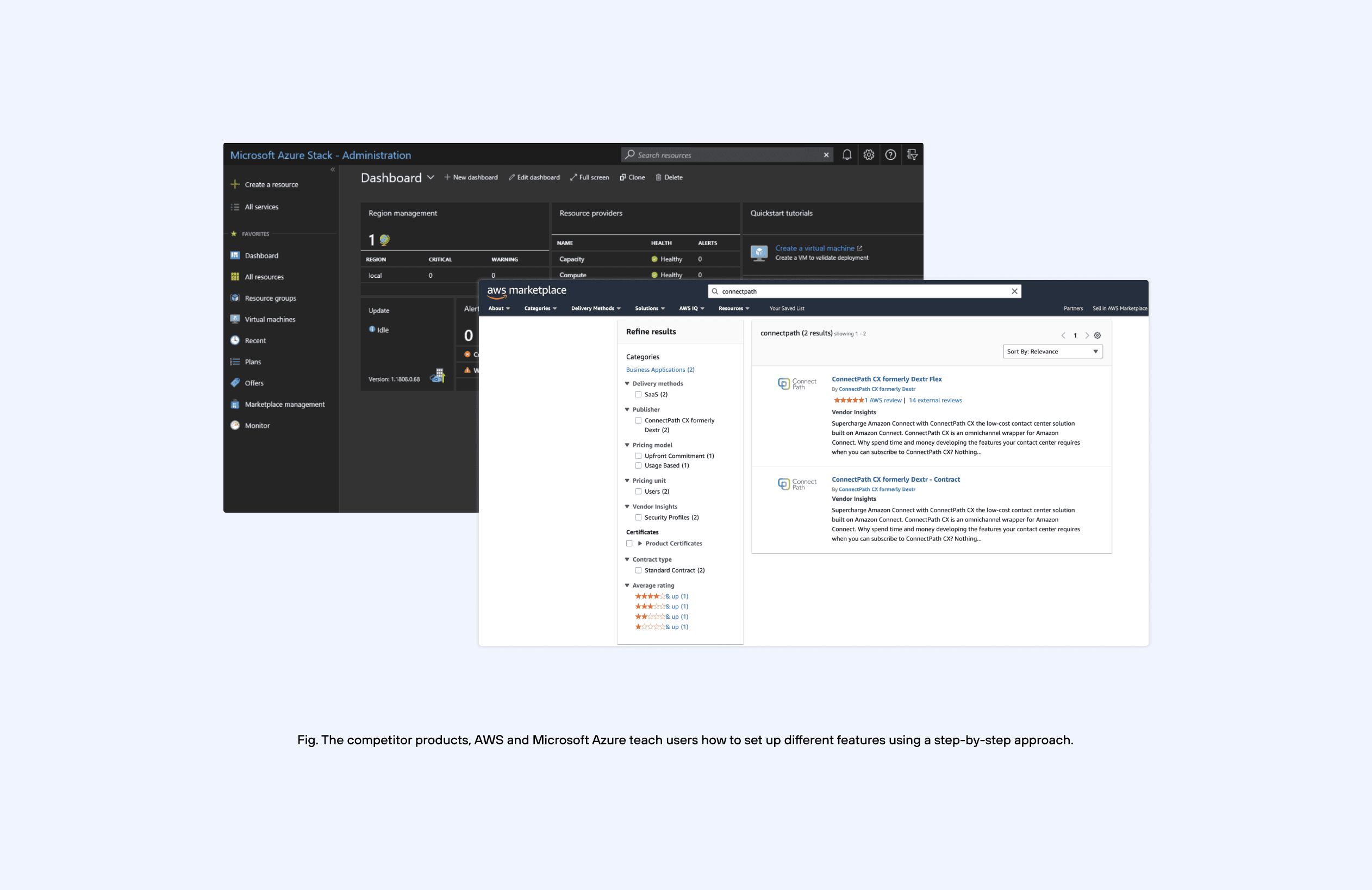
A B2B survey of 366 enterprise users, P2P training sessions with procurement managers, and a competitive audit against SAP Ariba and Amazon B2B revealed a clear picture.
ORIENTATION
A clear landing page orients every user regardless of expertise
SAP Ariba — B2C-inspired landing with full-width search.
Amazon B2B — Role-aware, task-forward from the first pixel.
Coupa — Guided procurement wizard on the homepage — category disambiguation before any search begins.
FINDABILITY
Search must be unmissable, prominent, and forgiving
SAP Ariba — Contract-aware results surface preferred items first.
Amazon B2B — Type-ahead with category filter, "Frequently reordered" chip suggestions, zero-results states that always offer alternatives.
Coupa — Natural language search with intent detection.
INTELLIGENCE
Smart recommendations reduce cognitive load for casual users
Amazon B2B — Purchase history suggestions search and detail pages.
Coupa — AI catalog matching: upload a purchase request description,
Zycus — Maps queries to catalog items, with contract-compliant alternatives highlighted.
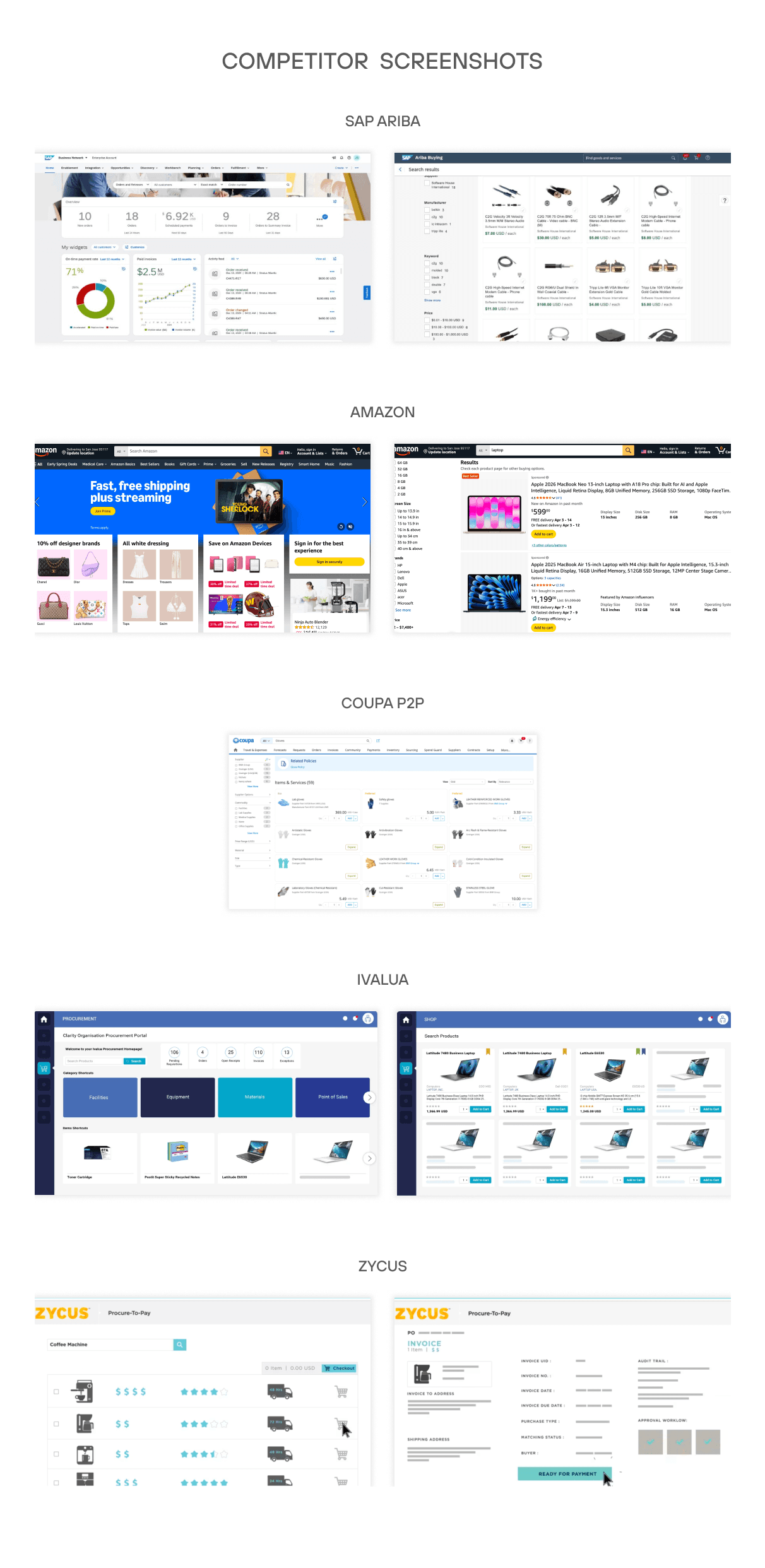
SAP Ariba had B2C-like landing pages, fuzzy search, and AI-based suggestions. B2B users had come to expect that experience — GEP wasn't delivering it.
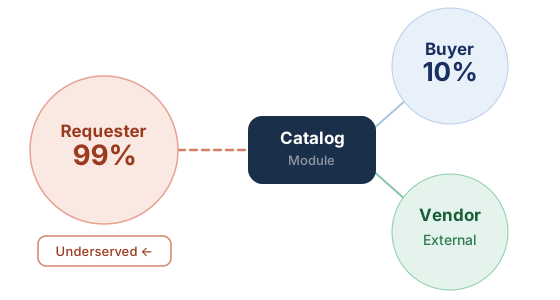
Fig. Who actually uses Catalog
Built entirely for the Buyer persona — trained professionals. 99% of users were Requesters: casual employees who just needed to place a simple order with zero procurement training.

01
Discoverability
No clear entry point to start a transaction. Users couldn't find search or understand where to begin. Navigation exposed system hierarchy, not user intent.
"How to start shopping?"

02
Trust
Zero feedback after completing an order. No confirmation, no status, no ETA. Users filed support tickets just to verify their order existed.
"Did my request even go through?"

03
Learnability
Procurement jargon — "punch-out," "guided procurement," "requisition" — alienated casual users. No UX copywriting, no explanations, no onboarding.
"I don't know what half of this means."
3 focused pain points
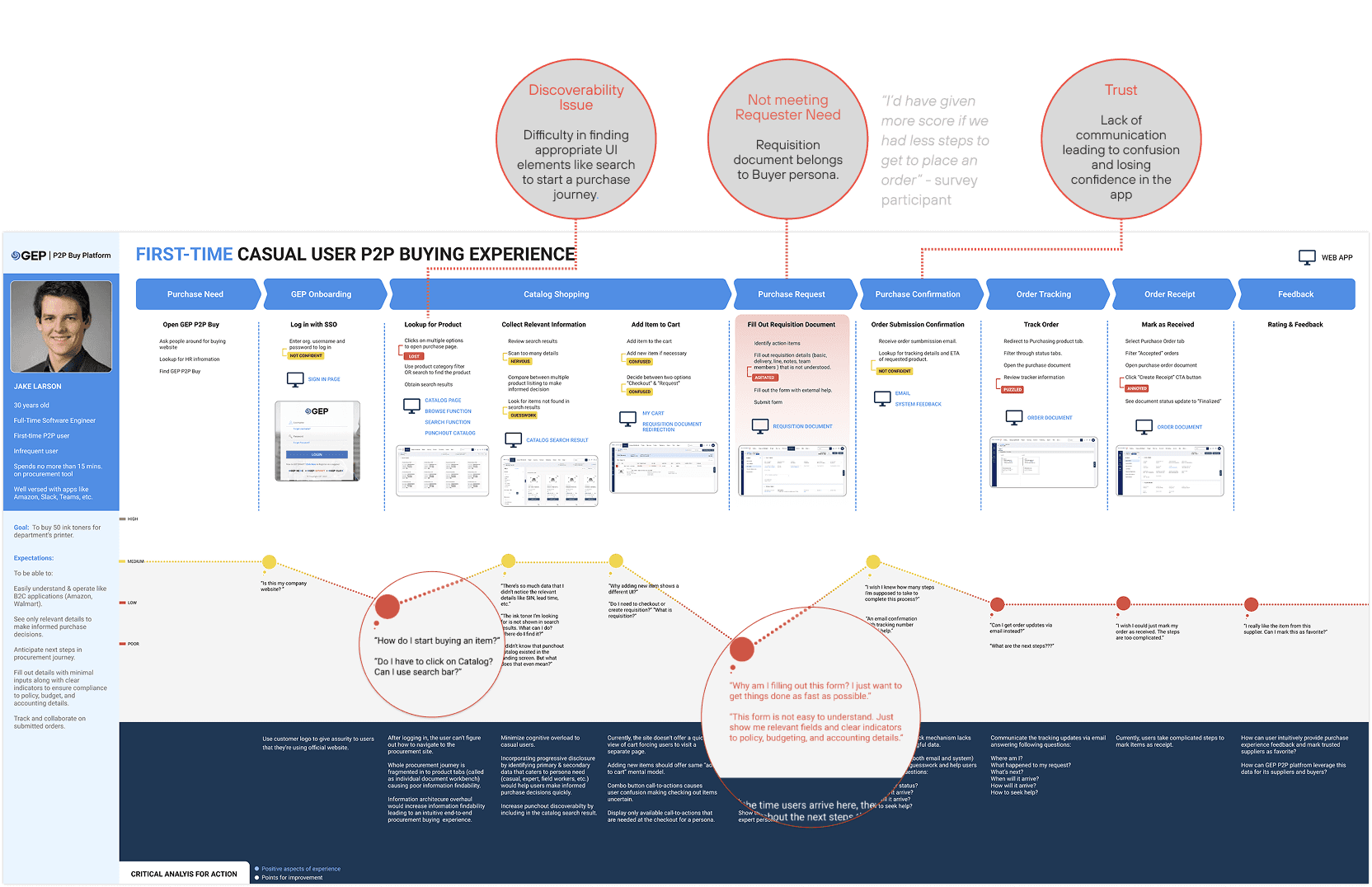
First-time casual user
P2P buying experience.
Mapped against "Jake" — an Operations Coordinator who logs in quarterly to order office supplies with zero procurement training. Reveals exactly where confidence breaks down.
Design Strategy
The goal is to foster a meaningful, trust-driven relationship between buyers and suppliers—more like the connection between a doctor and patient, and less like a transactional exchange between a salesperson and a prospect.
How?
PET (Persuasive, Emotion, Trust) design approach - influencing human behavior through product characteristics that leads to high conversion rates.
Why PET?
“Data shows B2B customers expect B2C treatment”
— https://info.sana-commerce.com/int_wp_b2b-buyer-report.html
Solution
fff
JH
From confusion
Fr
From
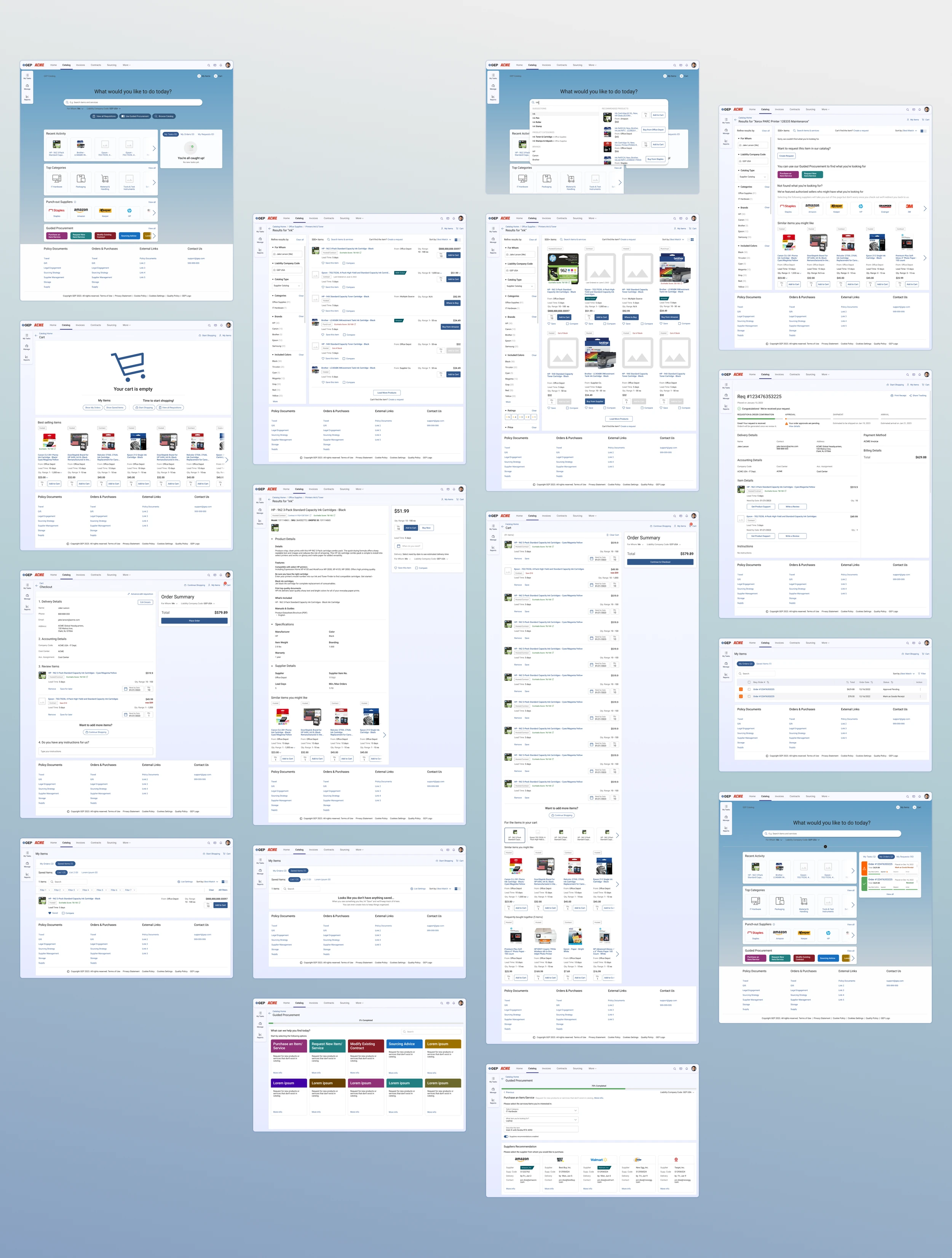
For each of the three most critical pages, here's the problem we were solving, the design directions we explored, what feedback shaped each iteration, and what we shipped — and why.
Homepage · Catalog Landing
The first screen a Requester sees. In 2022 it had no search, no hierarchy, and no clear action. Users landed and immediately got lost. This was the highest-priority redesign surface.
"How might we design a landing page so clear that a first-time Requester knows exactly where to start — without reading any instructions?"
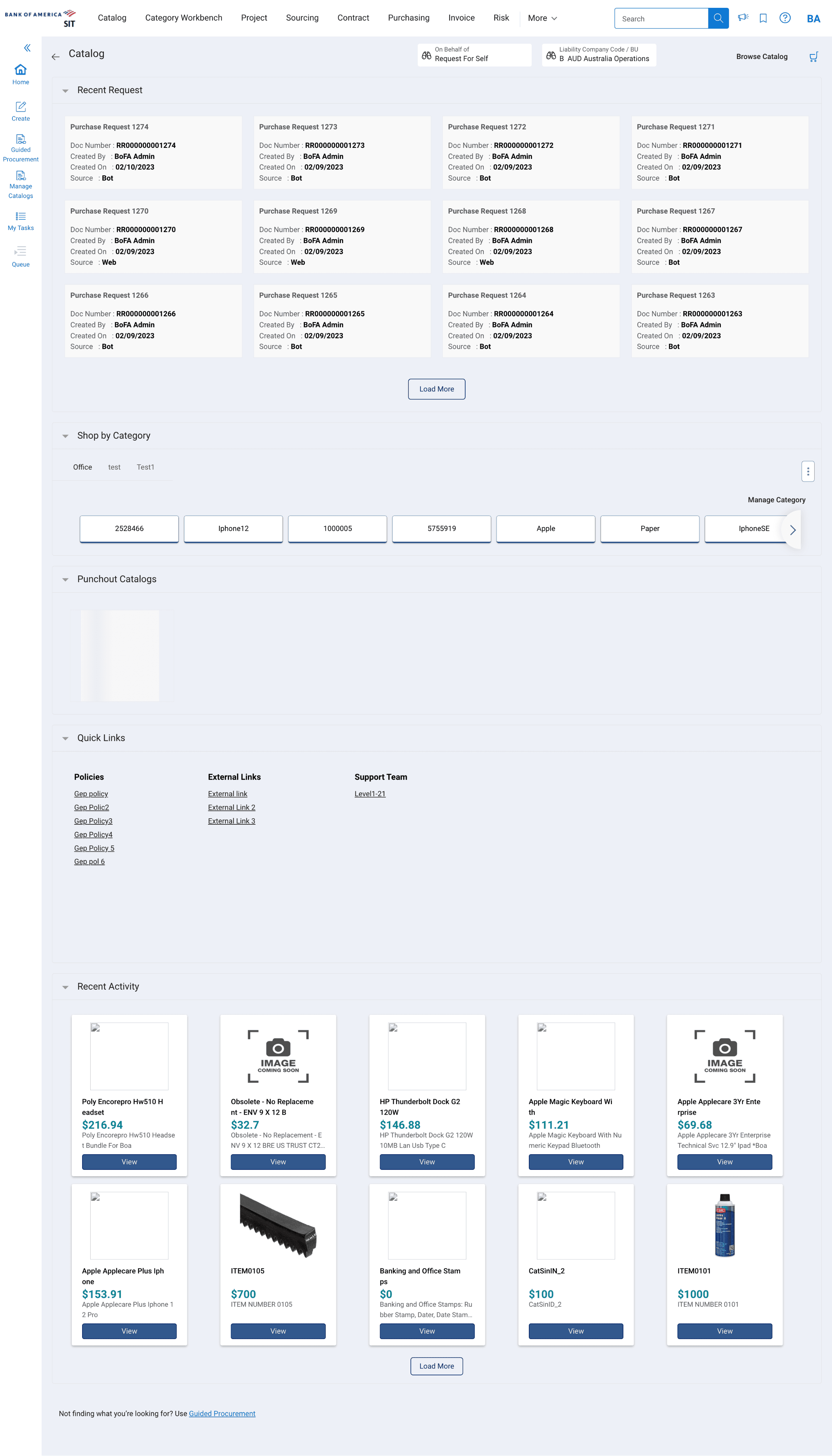
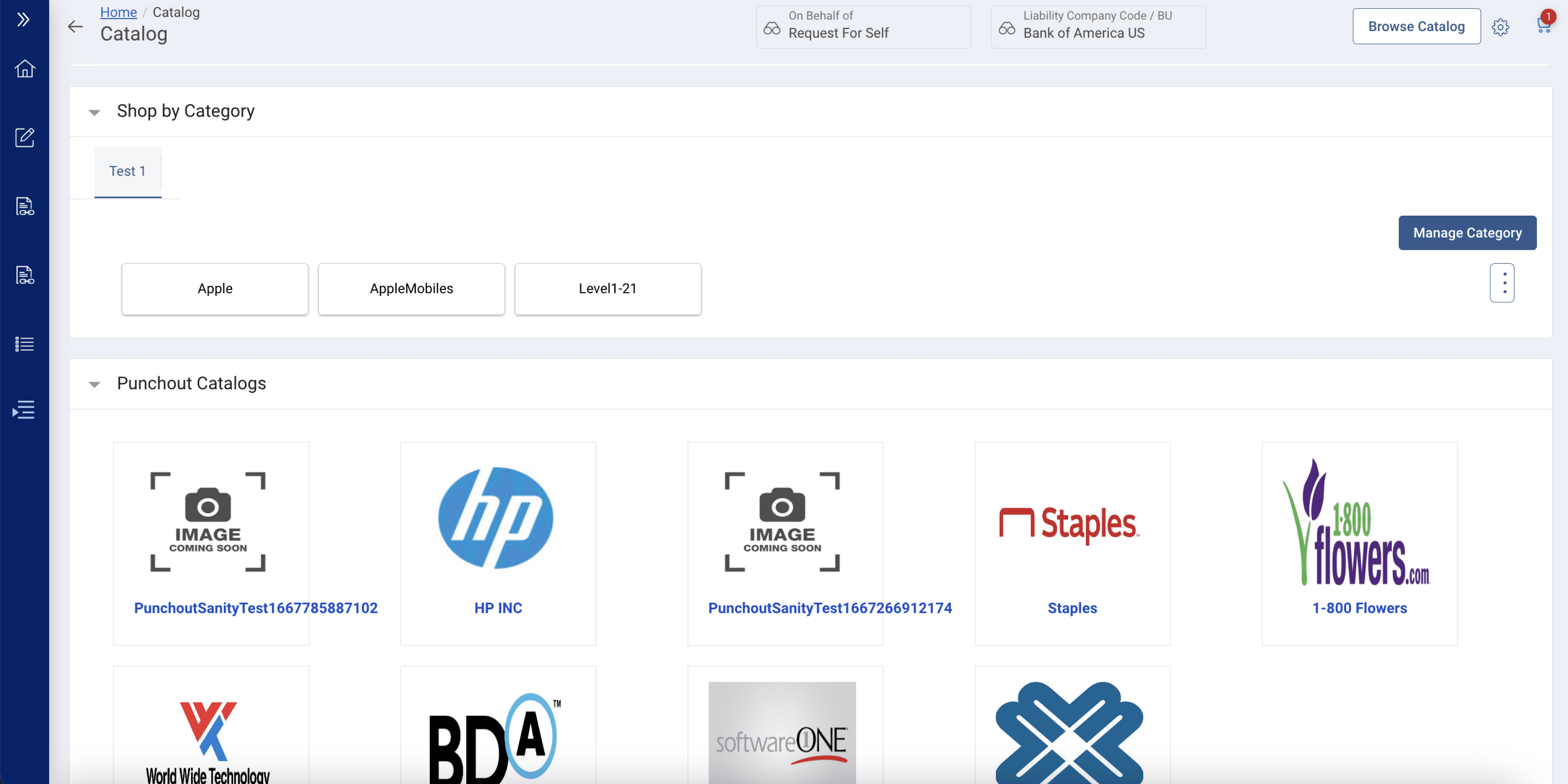
No clear entry point
Search was a tiny input in top nav. 99% of Requesters couldn't find it.
Overwhelming density
Purchase requests, categories, punchout, quick links — all competing equally with no hierarchy.
No task orientation
Tasks and orders were buried below the fold. Users had no idea what to do first.
Jargon-heavy labels
"Punchout Catalogs," "Category Workbench," "Guided Procurement" — meaningless to Requesters.
Design Iteration
The solution followed with the cross collaboration feedback, multiple iteration.
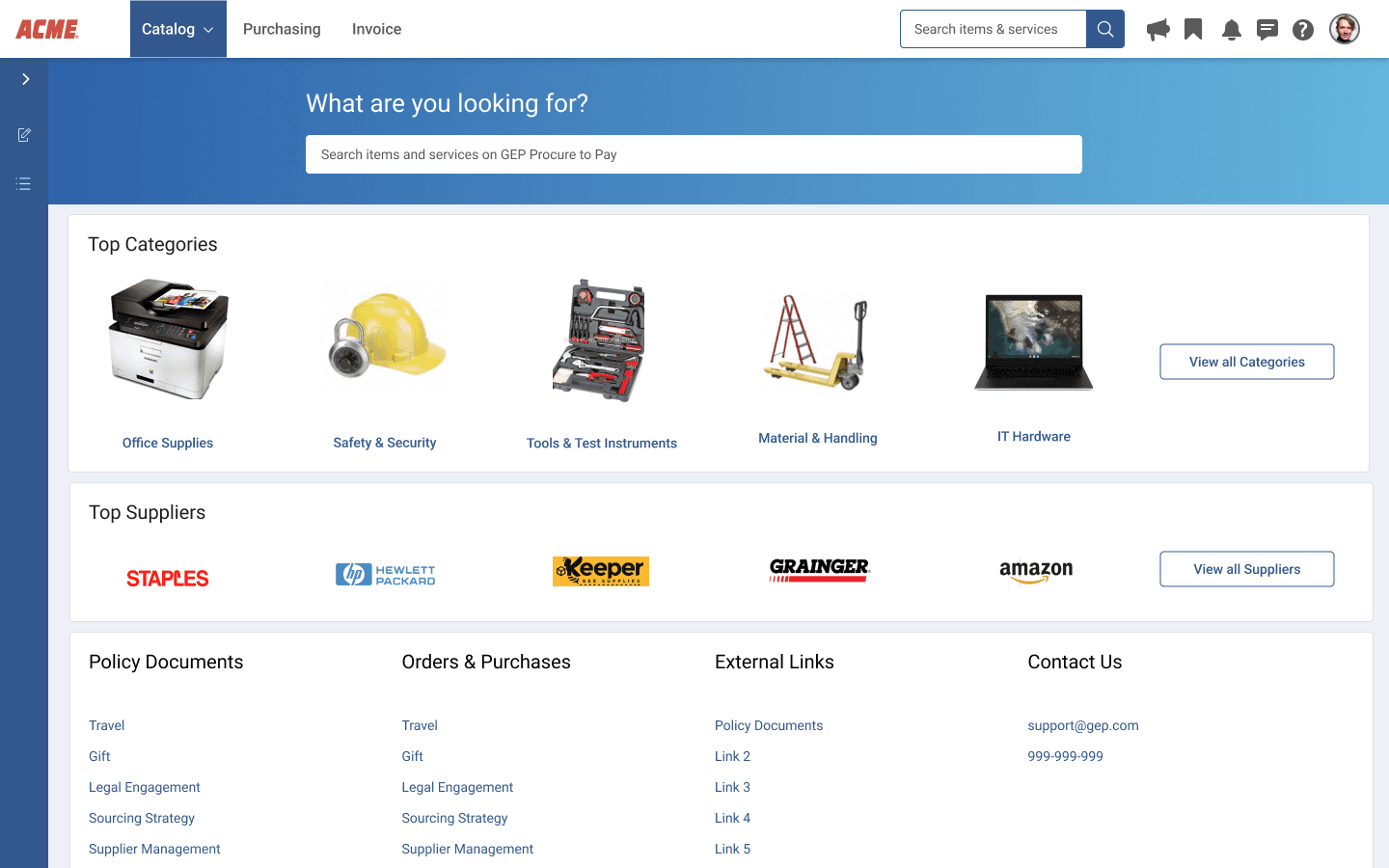
Iteration 1
Search-led categories
Introduced a prominent central search bar. Top Category tiles with product imagery. Top Suppliers row below. Moved navigation forward.
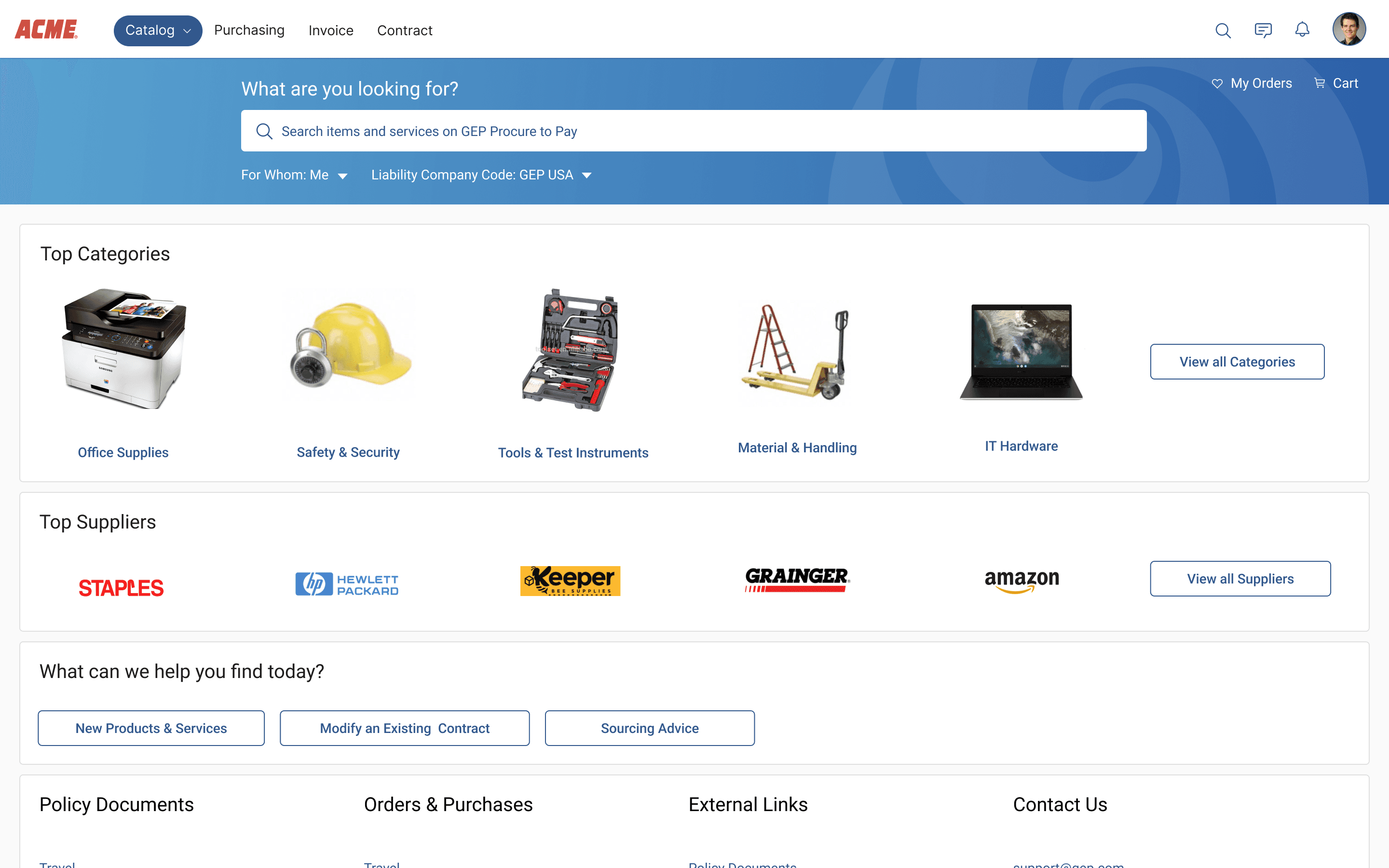
Iteration 2
Contextual search + shortcuts
Added "For Whom Me" role filter and contextual CTA row: New Products & Services, Modify Contract, Sourcing Advisor.
Final (after multiple iterations)
Task-forward, role-aware
Stripped to essentials: Tasks panel, Recent Orders, single "Place a New Order" CTA. Policy documents moved to doormat navigation.
Result: 76% first-click accuracy on search or CTA
Search results: Item Details
The core task surface — where users find what they need, compare options, and decide to buy. In 2022, critical data was buried inside accordions. Users couldn't scan results.
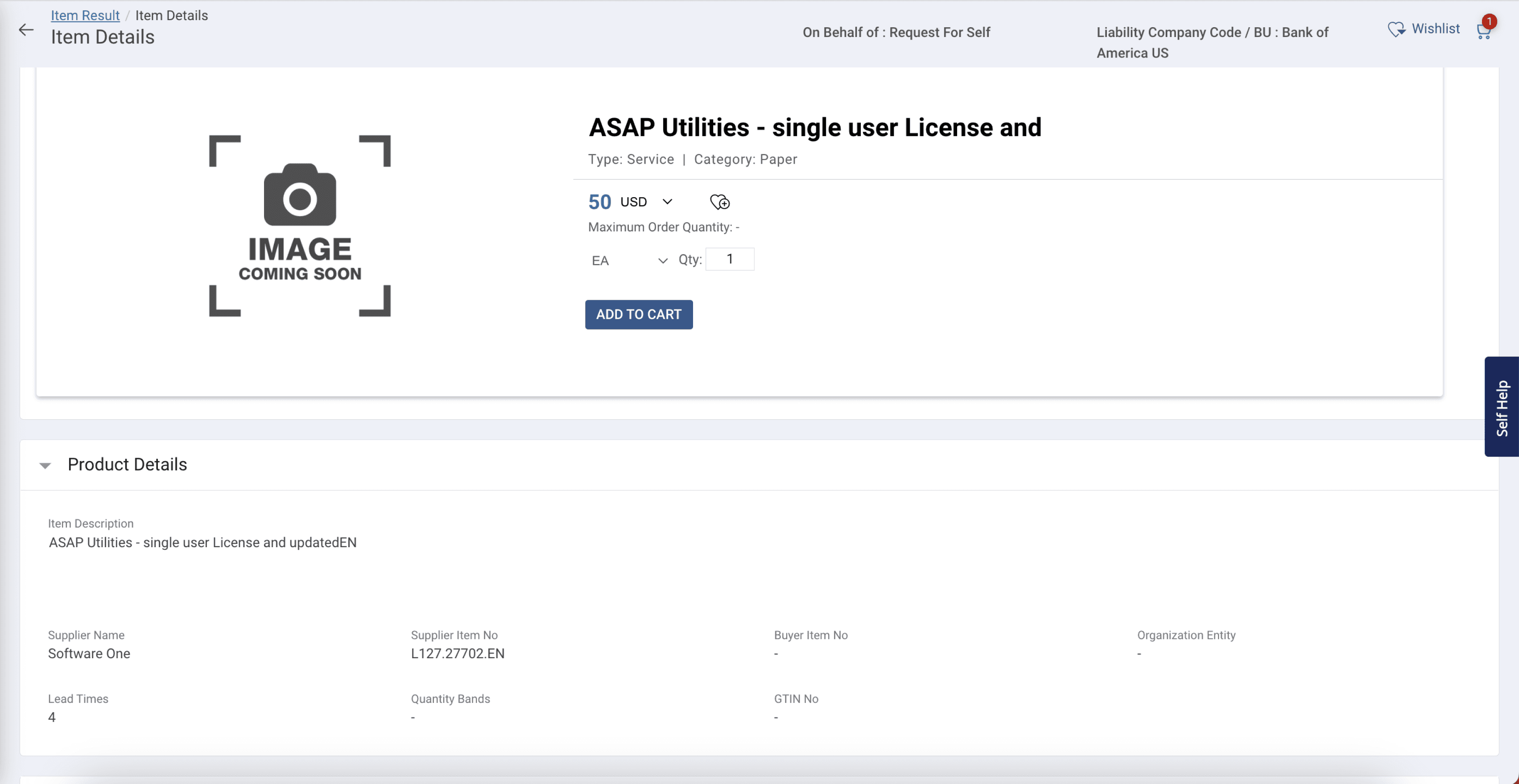
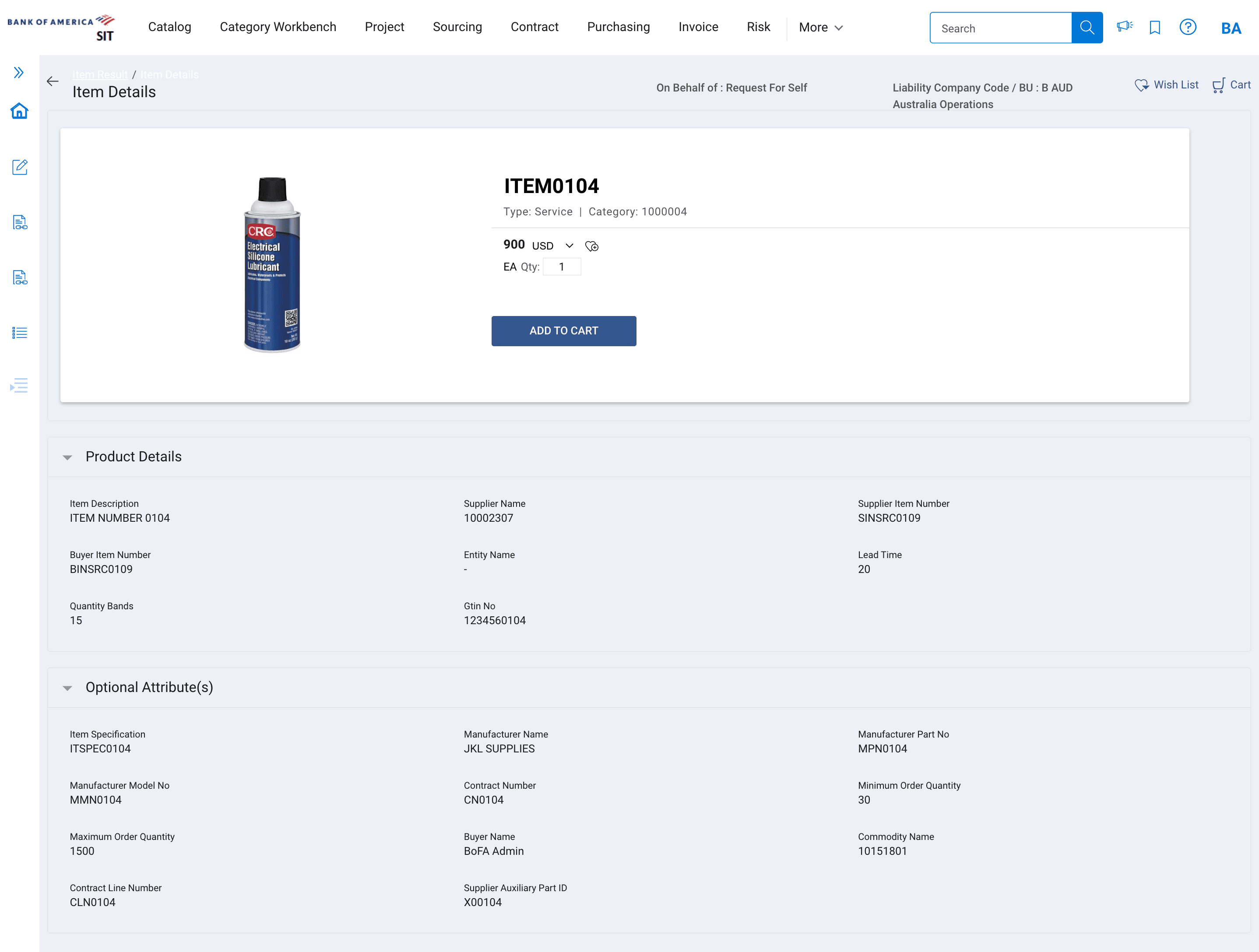
Critical Data buried
Lead time, contract number, supplier — all hidden in collapsed "Product Details" section below the fold.
No comparison possible
Each item on its own detail page. Users had to go back-forward to compare vendors.
Dense metadata grid
"Optional Attribute(s)" section exposed 15+ technical fields useless to Requesters.
No navigation context
No easy return to search results. Users lost their position in the catalog entirely.
3 results card layout options explored-
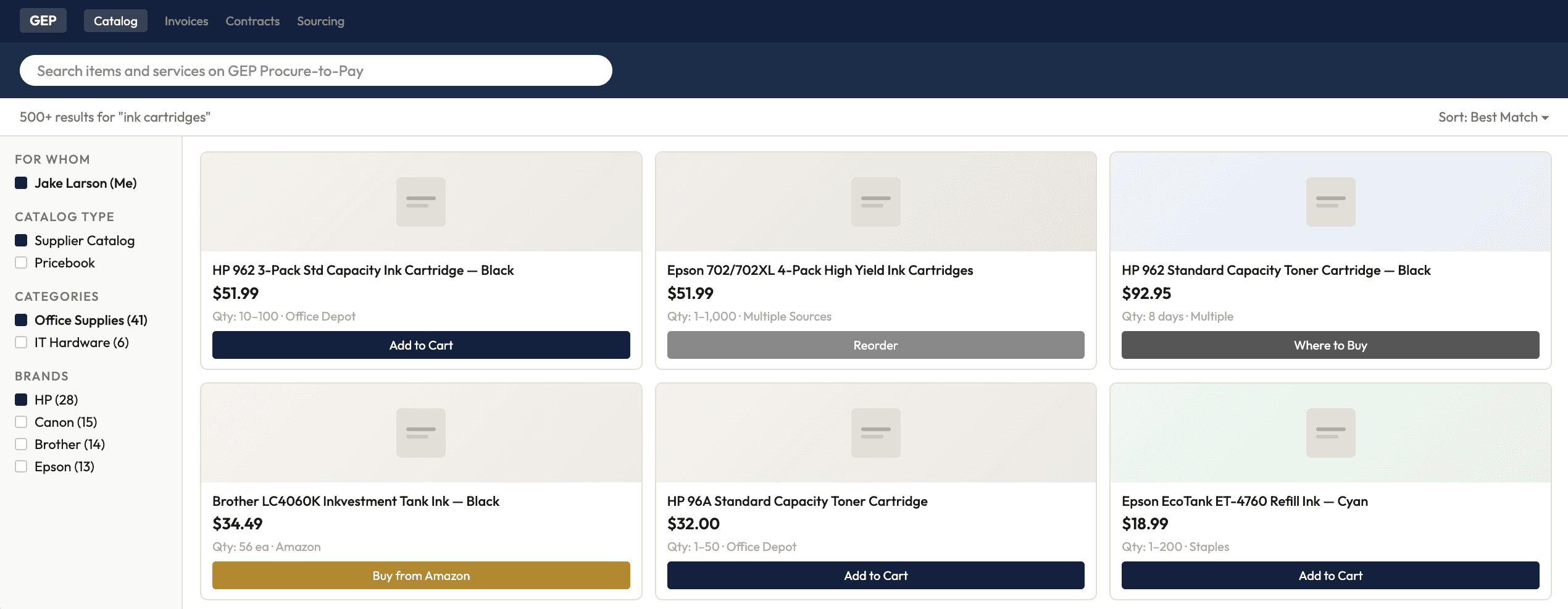
Option A
Grid/Card View
Product image prominent, price large, minimal metadata. Amazon-like e-commerce feel.
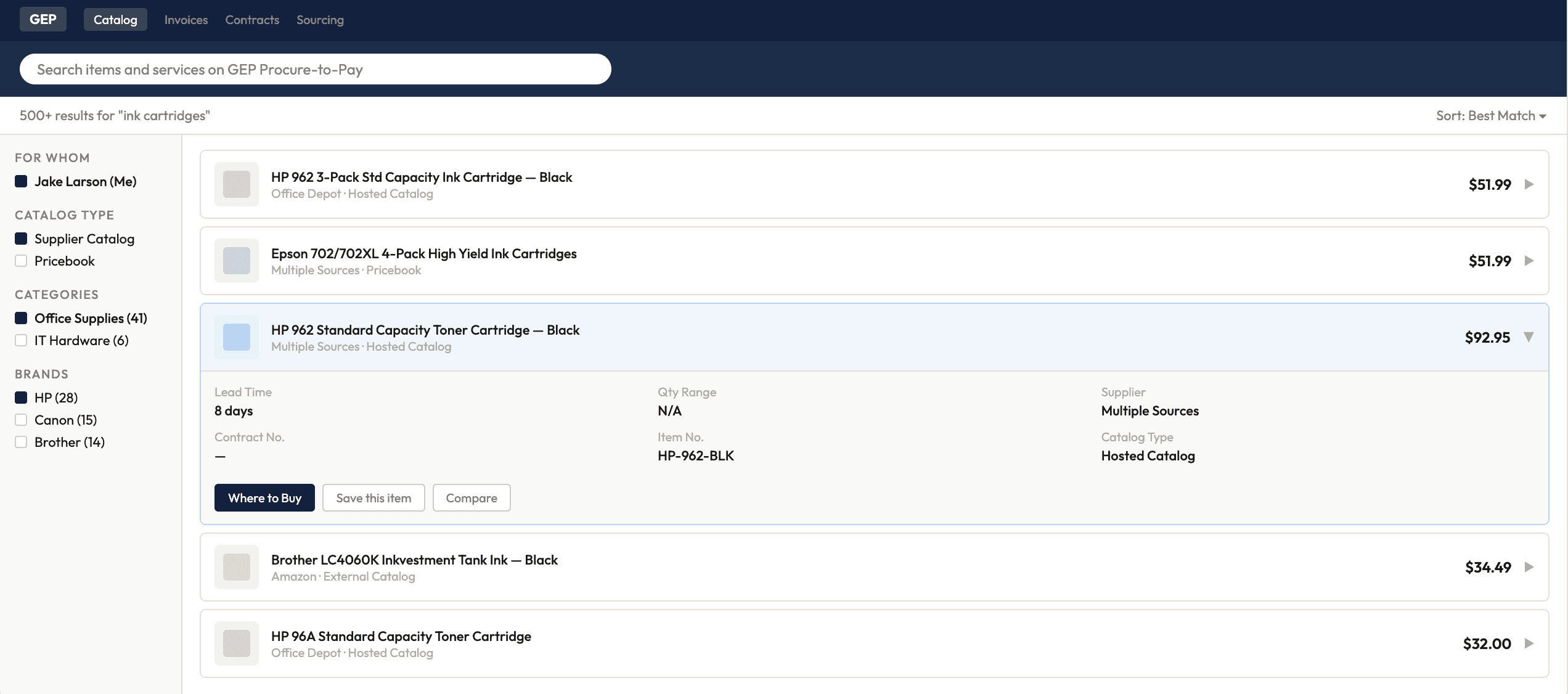
Option B
Accordian/collapsed rows
Compact rows with expand-to-view details. More results visible above fold.
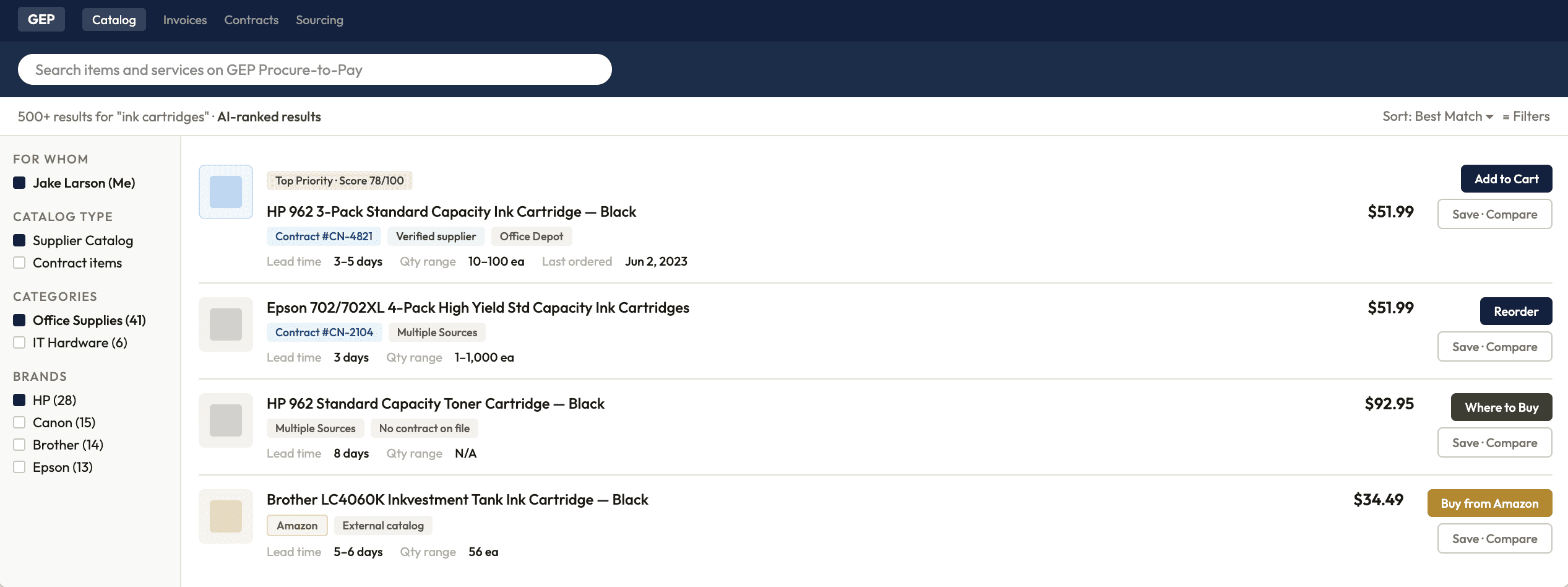
Option C
Enlisted list rows
All critical decision data visible inline: lead time, price, contract status, vendor, action button. Thumbnail for scannability.
Design Iteration
The solution followed with the cross collaboration feedback, multiple iteration.
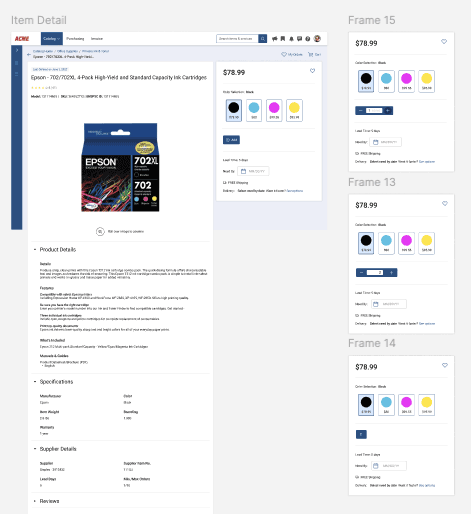
Iteration 1
Enriched list view with star ratings
List view with item cards. Star ratings, lead time, and vendor inline. Context-aware CTAs: "Add to Cart," "Where to Buy," "Reorder," "Buy from Amazon."
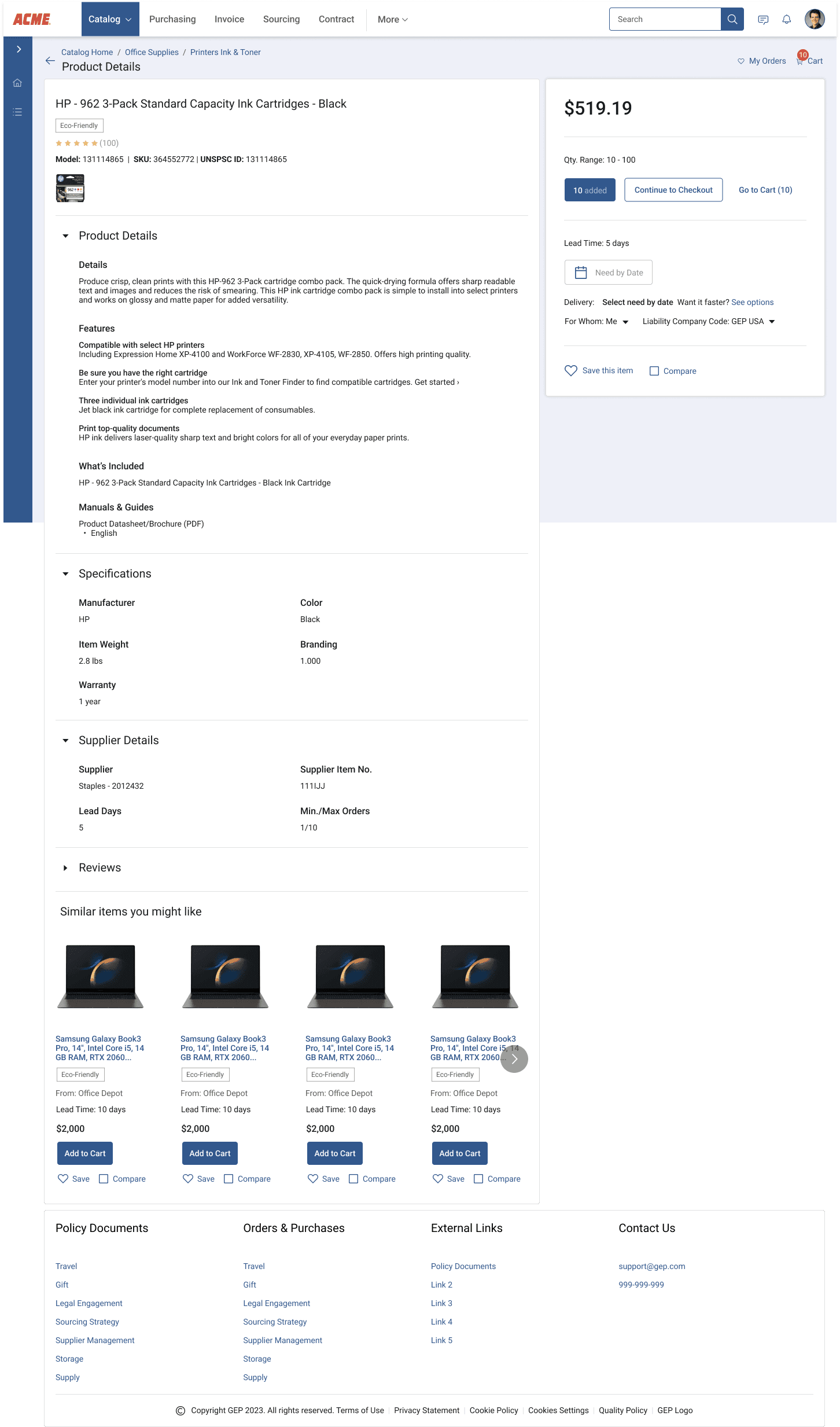
Iteration 2
AI-ranked, enriched rows with source clarity
AI-ranked results with verified score badges. Inline contract status, lead time, price range, vendor. Context-aware action buttons by catalog type. Jargon replaced with plain descriptions.
Result: 40% improvement in search accuracy
Checkout + Order Confirmation
The highest-friction point in the entire product. Requesters hit a full Buyer-level requisition form — cost center, project code, account assignment — with zero training. After submitting: complete silence.
"How might we simplify the checkout so a Requester can place an order confidently — and know, without doubt, that it went through?"
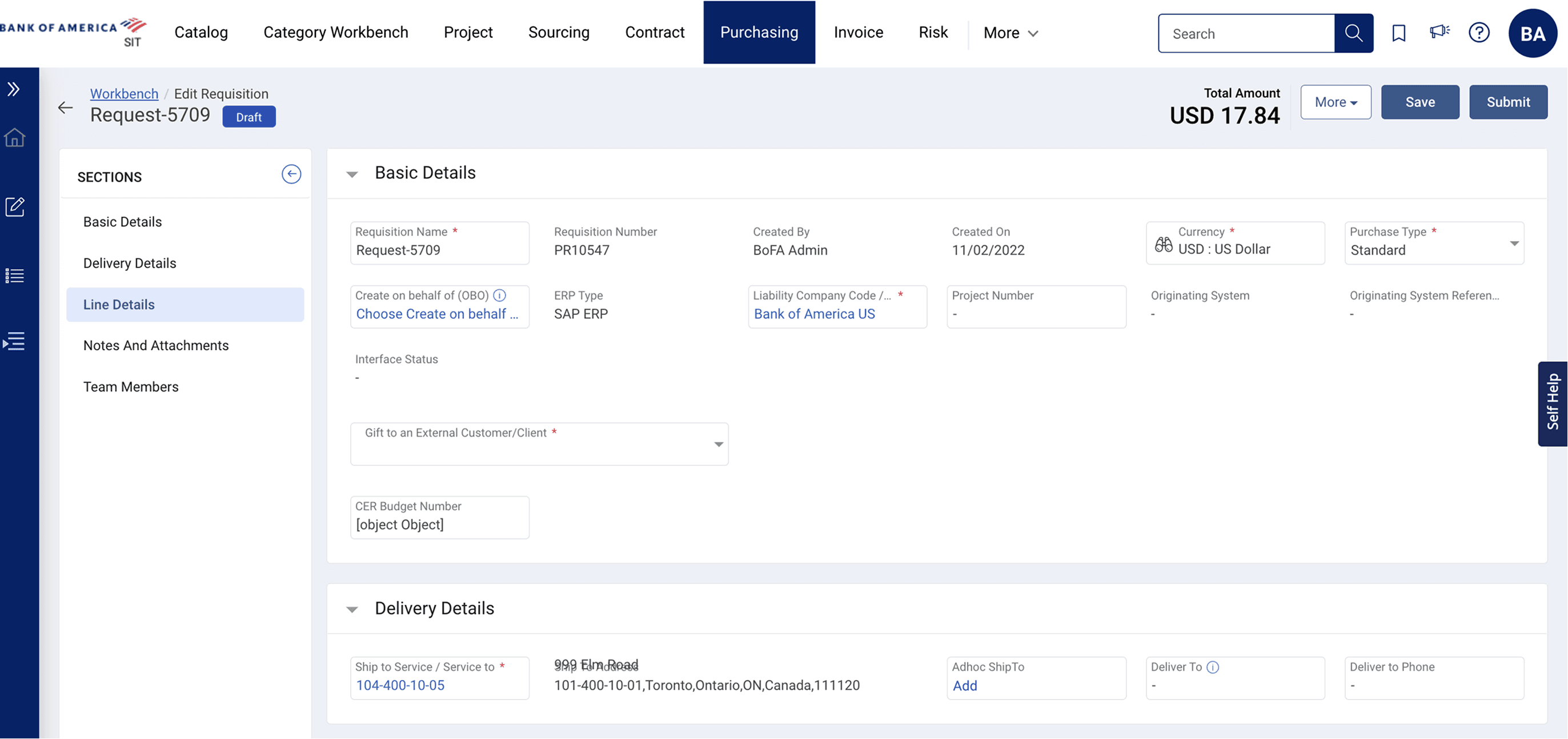
Full Buyer form exposed
"Basic Details," "Line Details," "Notes & Attachments," "Team Members" — a Buyer's full workflow shown to every Requester.
Unexplained fields
"ERP Type," "Liability Company Code," "CER Budget Number" — zero guidance on what these mean or require.
Error-prone line items
"Contract ID invalid" — users had no idea what contract IDs were or how to fix them.
No post-submit feedback
After Submit — nothing. No order number page. No confirmation. Users immediately re-submitted.
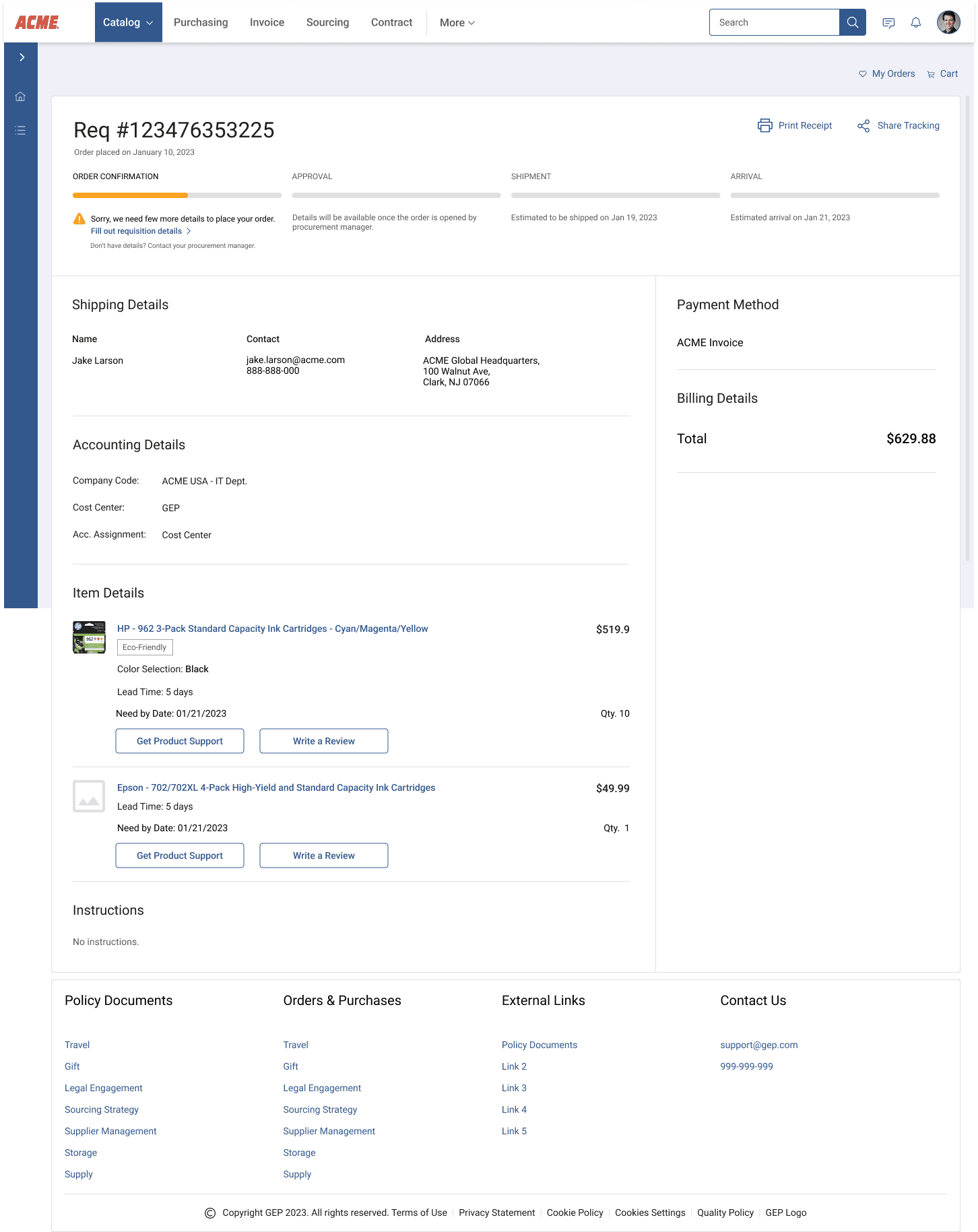
Result: Ease-of-use: 2.48 → 4.1 / 5
Learnings
Data-driven design validates intuition
Design for roles, not features
Trust is engineered, not assumed
Findability is never finished
Results
32% increase in ease-of-use rating (4.1/5 in Jul 2023 from 2.48/5 in Oct 2022
Increase in sales, according to solution design team (Sales)
Made the company generate revenue ($) by making existing customers happy with improved UX
For full case study, please reach out to- savanishrotri21@gmail.com