Kokun's Mission
Living with an invisible condition often means navigating pain that no one else can see. It is not always about severe moments, but about the accumulation of small, everyday struggles — forgetting triggers, second-guessing symptoms, and trying to communicate something that feels hard to explain.
Kokun is built on the idea that support should feel natural, not clinical. The mission is to create a space where people feel understood, guided, and supported through their health journey. Instead of asking users to adapt to rigid systems, Kokun adapts to them.
At its core, Kokun is an AI-powered companion that helps people express how they feel, understand patterns over time, and make more confident decisions in their daily lives.
Role
Product Designer
Platforms
iOS
Duration
14 weeks
Methods
User Research · Usability Testing · Competitive Analysis · Journey Mapping · Information Architecture · Interaction Design · Prototyping · Dev Handoff
Team
Designer (Me), Engineers, Product Managers, Research Associates, Marketing
The Problem
A migraine is much more than a bad headache. This neurological condition can cause debilitating throbbing pain that can leave patients in bed for days. It affects people from all ages, gender, races and social classes and can significantly impact a person’s quality of life, including their ability to work, socialize and participate in daily activities.

How might we help migraine patients manage their condition so that they can improve their overall well-being?
Target Audience
The main beneficiary of this project are individuals suffering from migraine. I identified both chronic and episodic migraine sufferers as my target audience.
Strategy
To approach the problem, I drafted a timeline of activities and methodologies. For project management, I used Notion to create a timeline of deliverables.
User Interviews
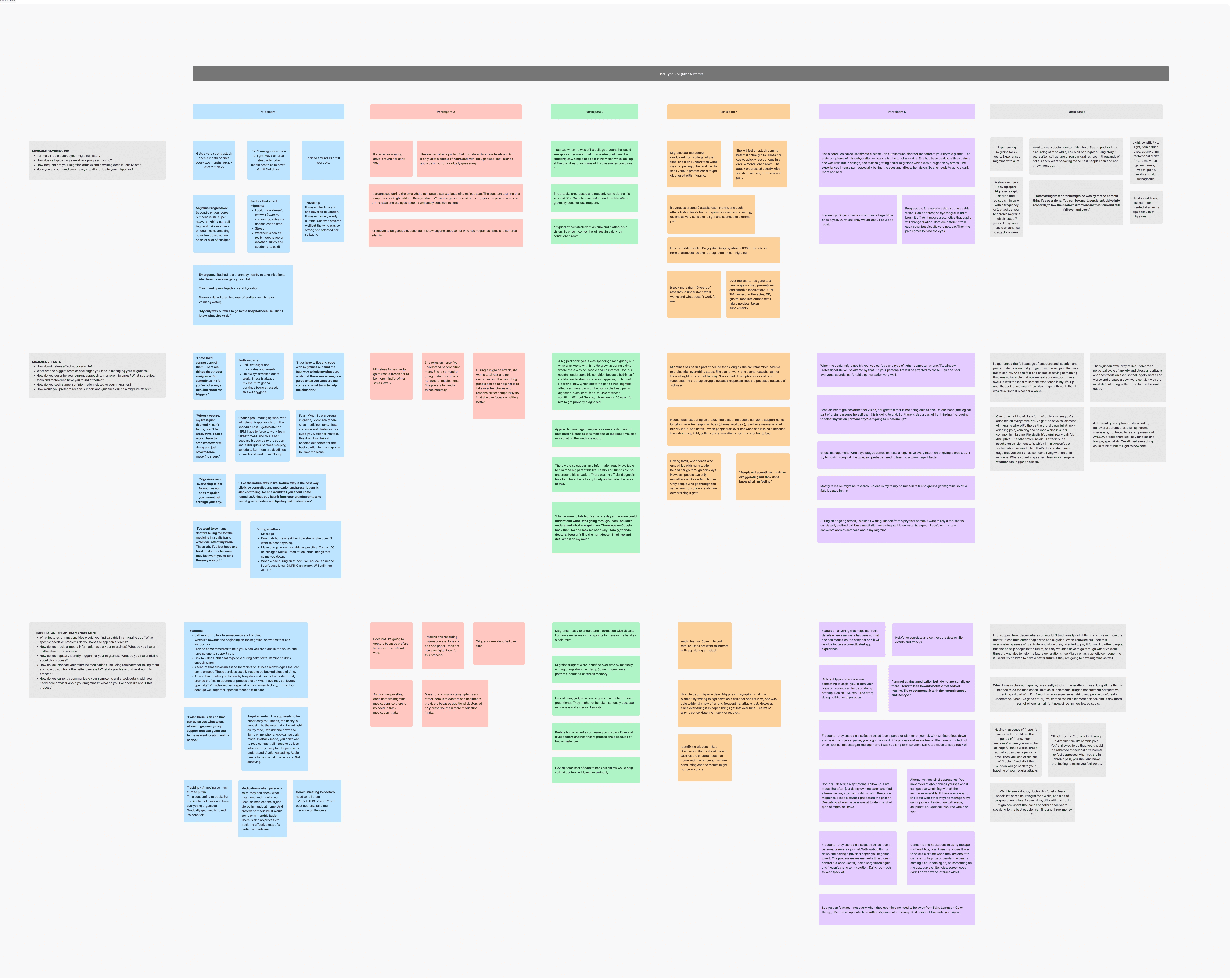
I interviewed migraine sufferers, patients subject matter expertise, research associates and scholars to learn more about the experience, feelings, and emotions.
Migraine Sufferers
How migraine affects their lives
How they cope and live with migraines
Their approach in managing migraines
How they seek support during and after migraine episodes
Subject Matter Experts.
The process of making clinical decisions
Inputs on AI, Machine Learning and incorporating data-driven features.






Key Findings
Tracking health feels overwhelming, not helpful
Users struggle to make sense of their own data
Users want guidance, but not control
Existing apps feel clinical, not human
Consistency breaks due to friction
Migraine app users
Designing for both new and experienced users.
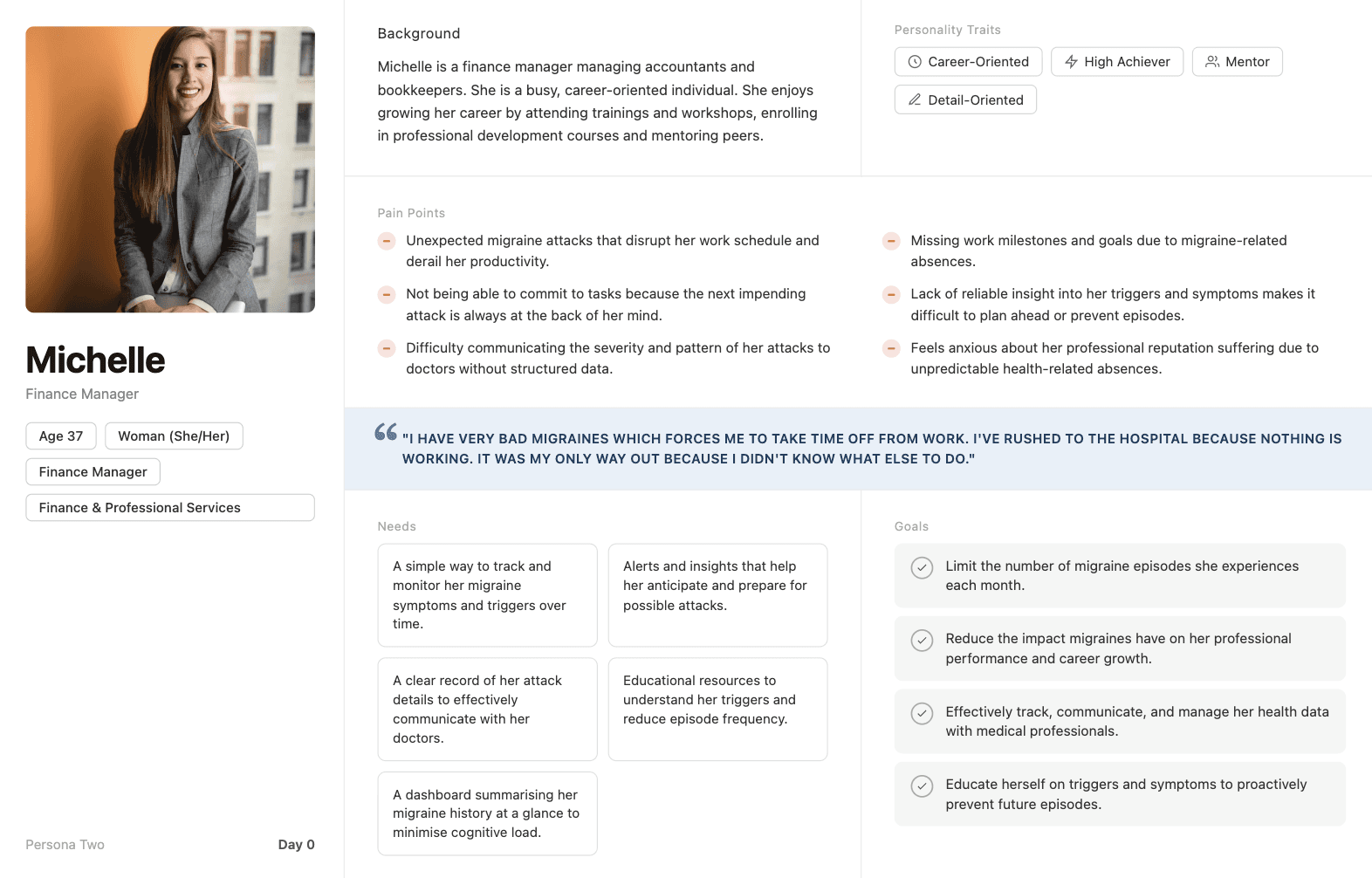
I created a total of three personas for two user types: the migraine sufferer and the doctor. Using internal user role cards and meeting stakeholders, I synthesized and developed two user personas — one for migraine sufferers and for doctors. Their needs differed significantly despite sharing the same role: new users needed guidance, experienced users needed efficiency.
Pain points
No intelligent pattern recognition
Reactive instead of predictive
Generic advice, no personalization
Fragmented health data with no synthesis
Needs
AI-powered trigger detection
Predictive attack alerts
Auto-generated doctor summaries
Contextual recommendations in the moment
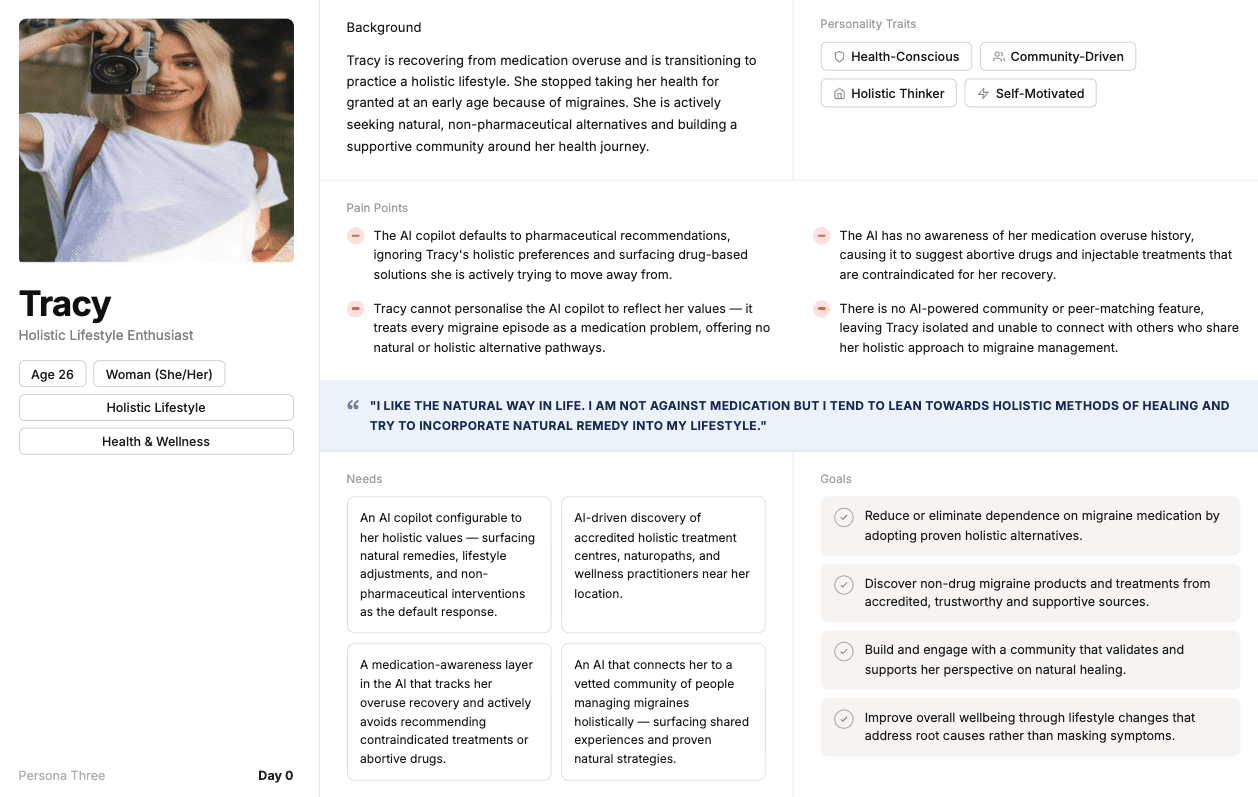
Pain points
The AI assistant defaults to pharmaceutical recommendations, ignoring her holistic preferences.
No awareness of her medication overuse history, risking contraindicated suggestions.
Cannot personalise the AI assistant to reflect her holistic values and natural treatment preferences.
No AI-driven peer-matching or community feature to connect with like-minded individuals.
Needs
An AI assistant configurable to surface natural remedies and non-pharmaceutical interventions first.
AI-driven discovery of accredited holistic treatment centres and wellness practitioners nearby.
A medication-awareness layer that tracks her overuse recovery and avoids harmful recommendations.
An AI that connects her to a vetted peer community managing migraines holistically.
Ideation
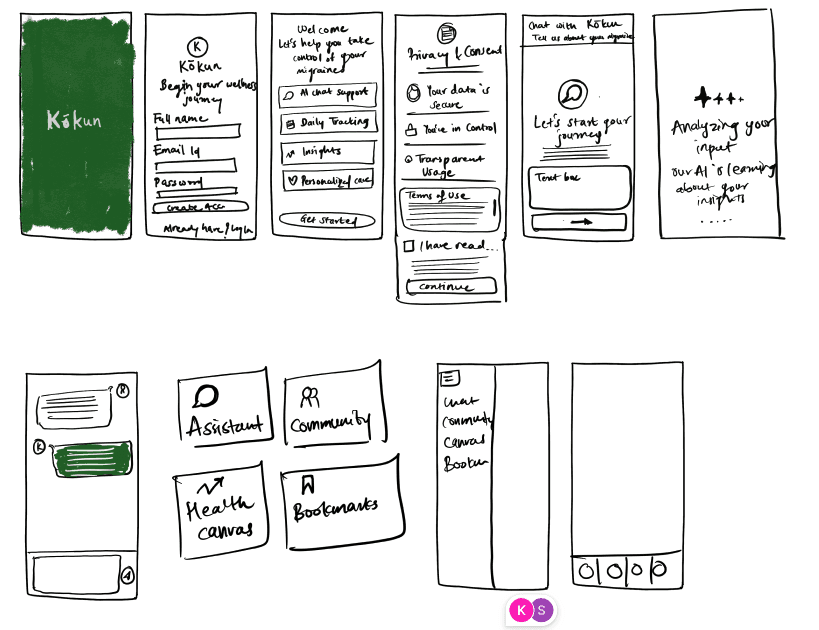
Mind mapping helped me find better solutions faster, help retain information and express ideas visually and hierarchically. To further support my ideation phase, I drafted some crazy eights at a cafe to help me brainstorm for ideas. Napkin sketches have often been my go-to companion when I find that spur of the moment inspiration.
High-level goals
I want this app to track my migraines effortlessly — log attack details, symptoms, and triggers without friction, even during a painful episode when light sensitivity makes screen use hard.How they cope and live with migraines
I want this app to track learn my patterns and predict attacks — analyze my data across sleep, stress, food, hydration, menstrual cycle, and weather to warn me before a migraine strikes.
I want this app to track tell me what's triggering me — surface personalized insights from my history so I stop guessing and start understanding what's making things worse.
I want this app to track give me a dark mode that actually works — protect my eyes during attacks with a thoughtfully designed low-light experience built for migraine sufferers, not an afterthought.
I want this app to track be my health companion, not just a log — use AI and machine learning to go beyond data entry and actively help me reduce the frequency and impact of my migraines over time.
Concept and Solution
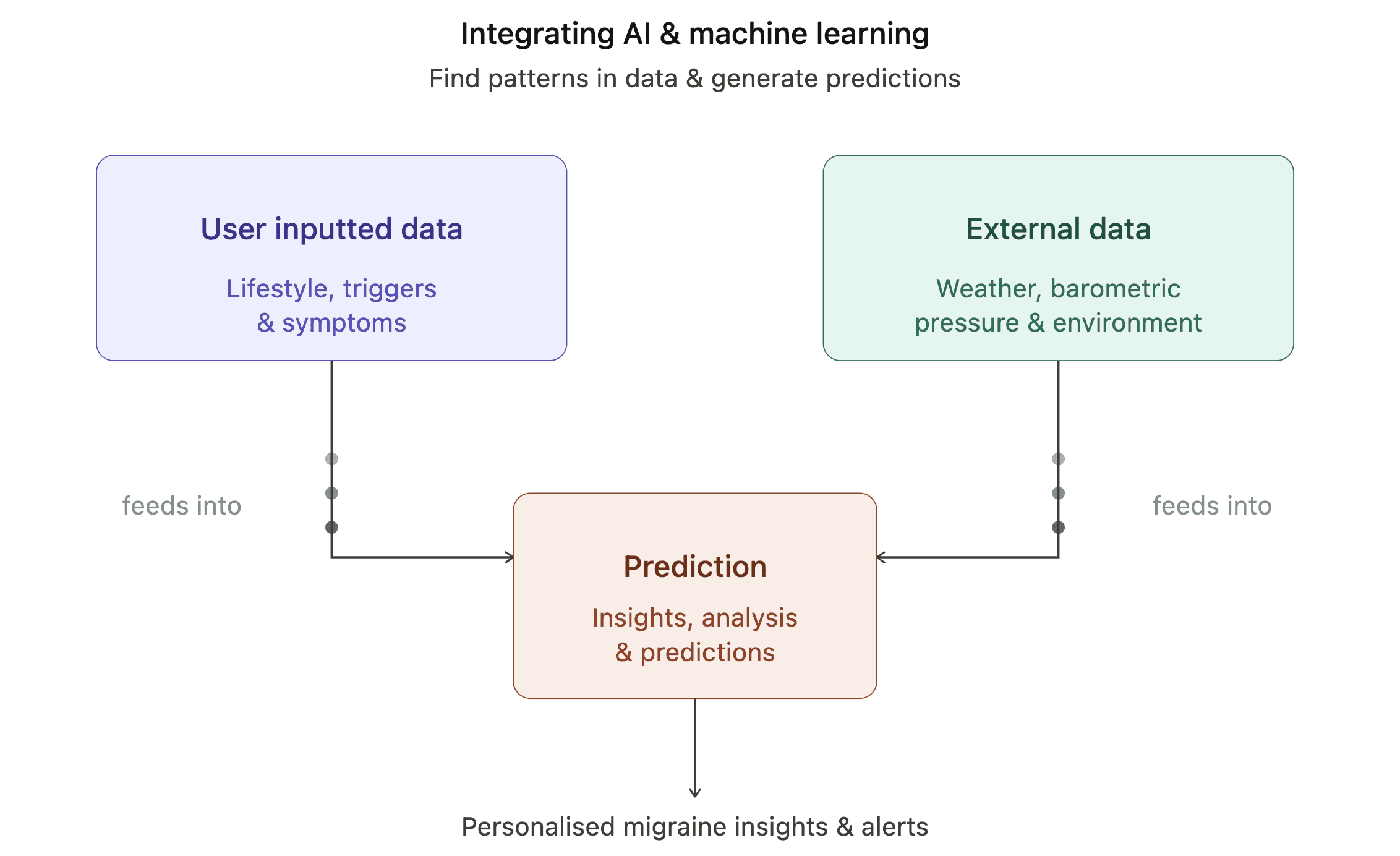
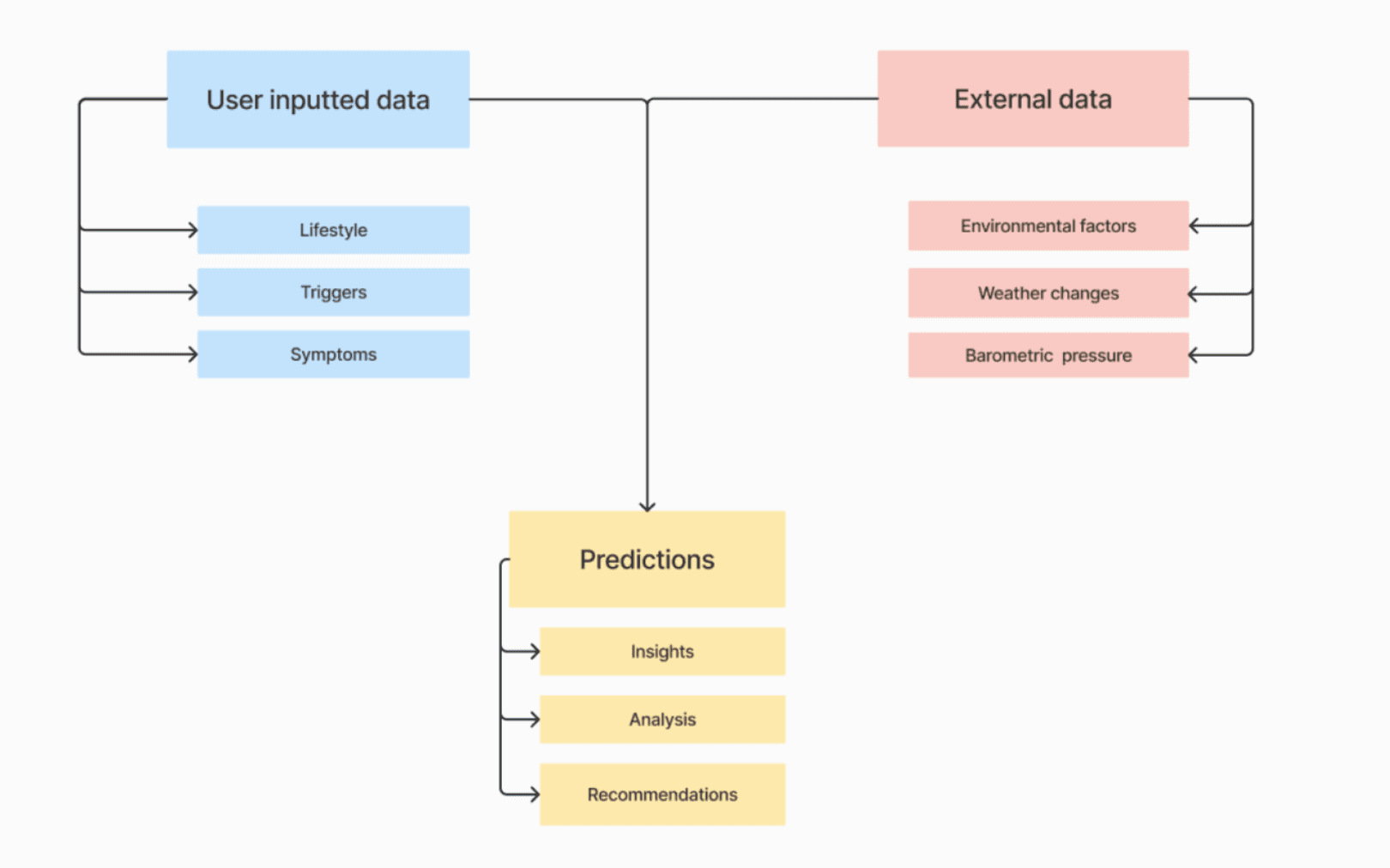
I envisioned my output to be a functional app for users to input their information. In return, Kokun will utilize this data to help users in migraine management. A unique value proposition of this app is the integration of AI and Machine Learning into its features. The overall concept of this integration revolves around data gathering, finding patterns and insights, and synthesizing this data into predictions and recommendations.
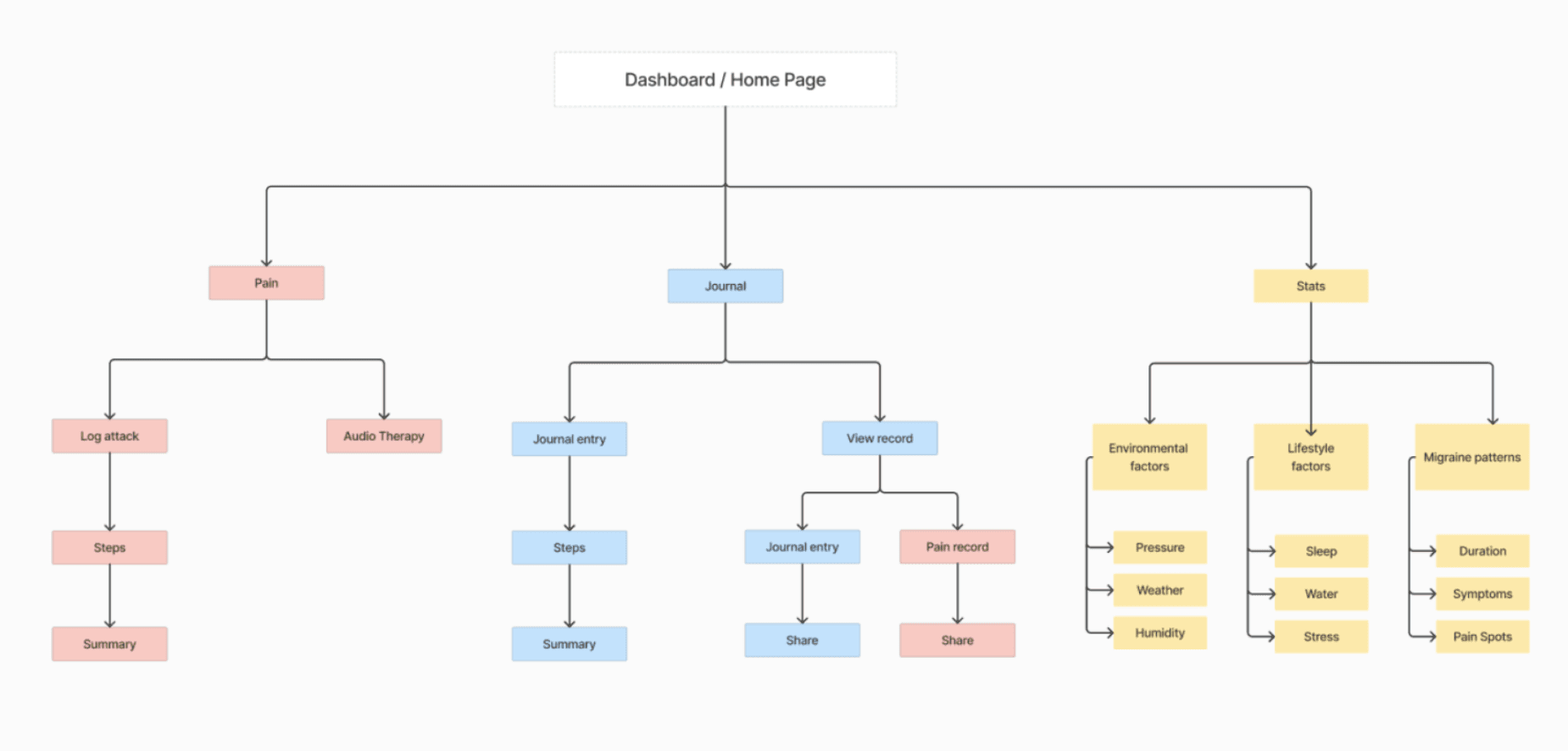
Information architecture helped me organize, structure and label content in an effective way. This provided the foundation as I proceeded to creating my prototype.
Prototype
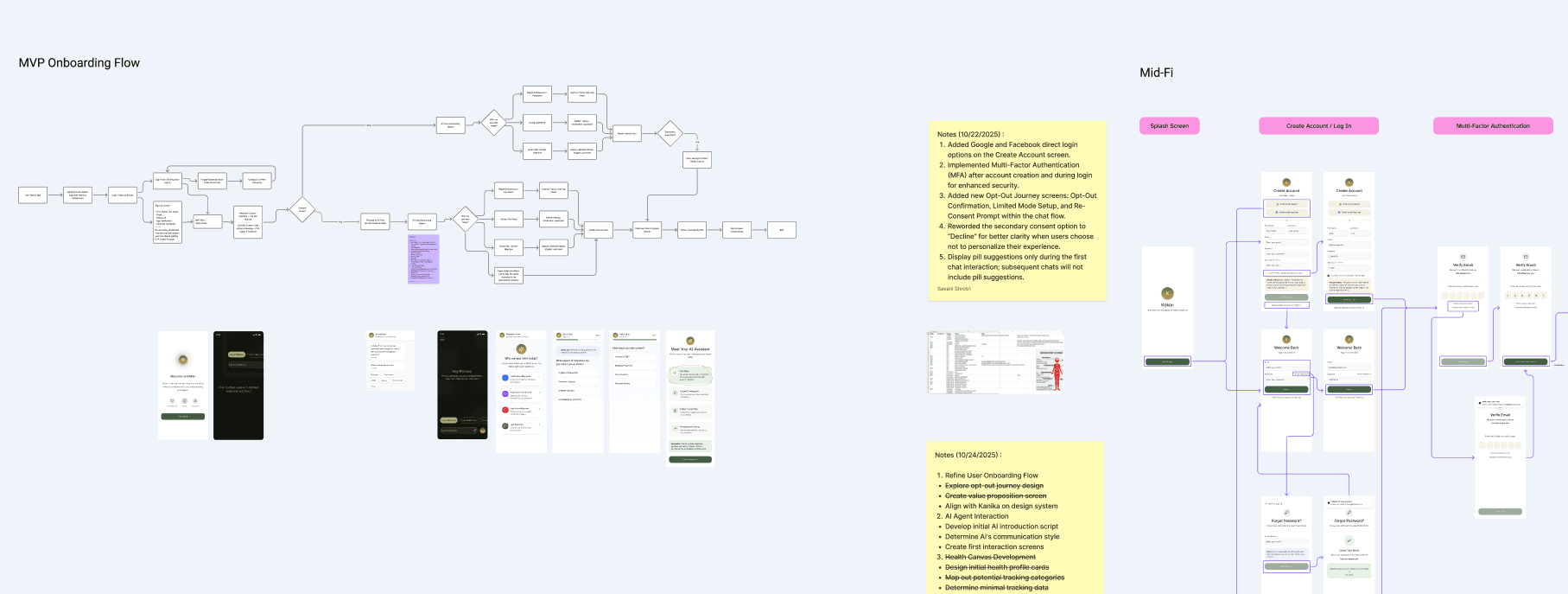
Wireflows helped me visualize the user and system flow. I added arrows and annotations between wireframes to indicate the paths a user may take while using the app. Low fidelity wireframes and prototypes helped me to visualize solutions at an early stage. These outputs enabled me to gather early feedback and design iterations.
Design System
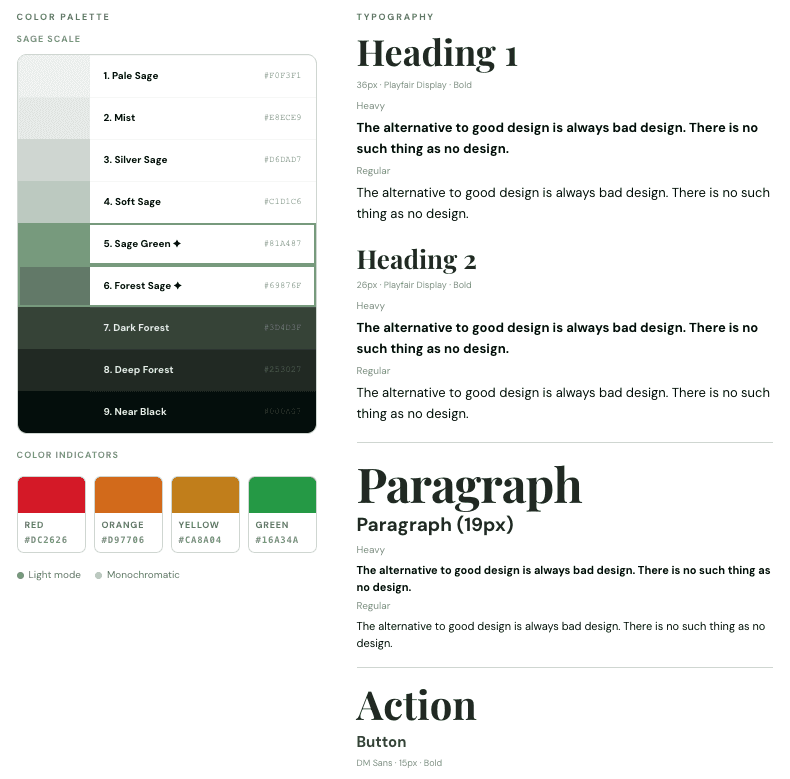
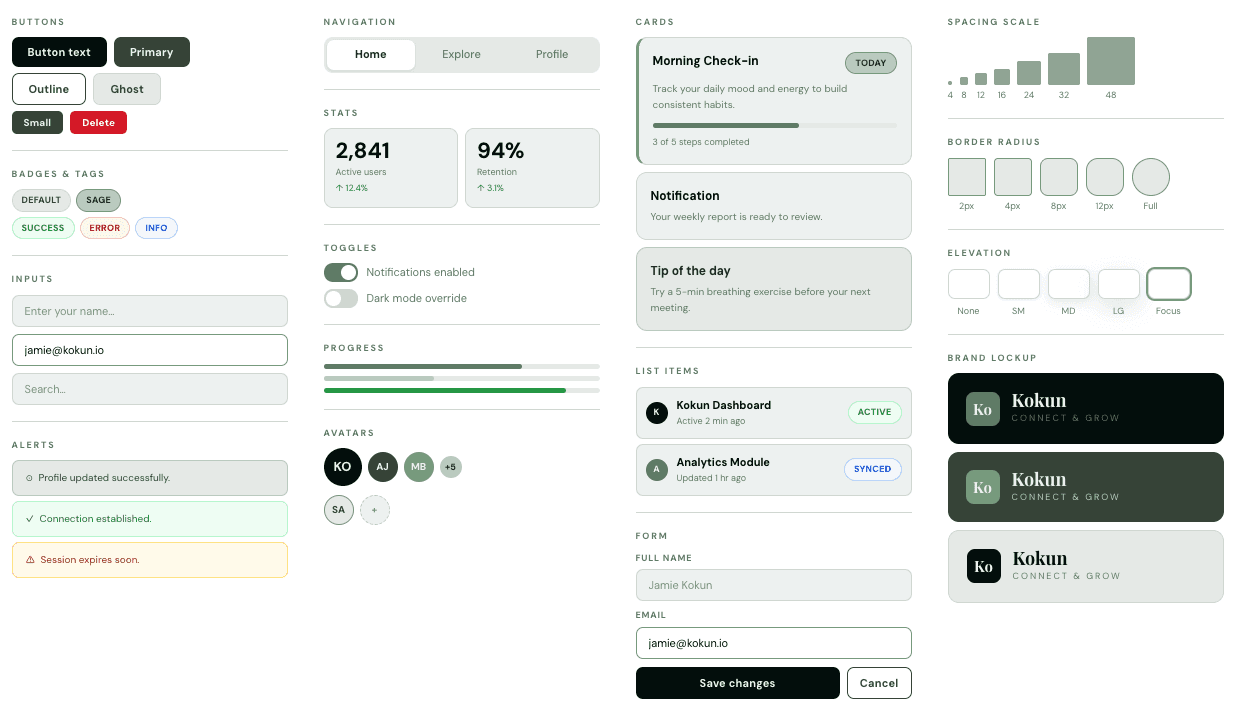
My choice of using dark mode was made to address light sensitivity. I also chose monochromatic tones to create a sense of calmness and serenity. The shades of blue also reflect calmness, healing, soothing, knowledge and wisdom.
Solution
fff
JH
From confusion
Fr
From
The final prototype was shaped through structured brainstorming, multiple iterations, usability testing, and research-backed insights, while ensuring alignment with HIPAA compliance standards. Due to NDA constraints, the case study highlights select flows, including the onboarding experience and the AI-powered chat assistant.
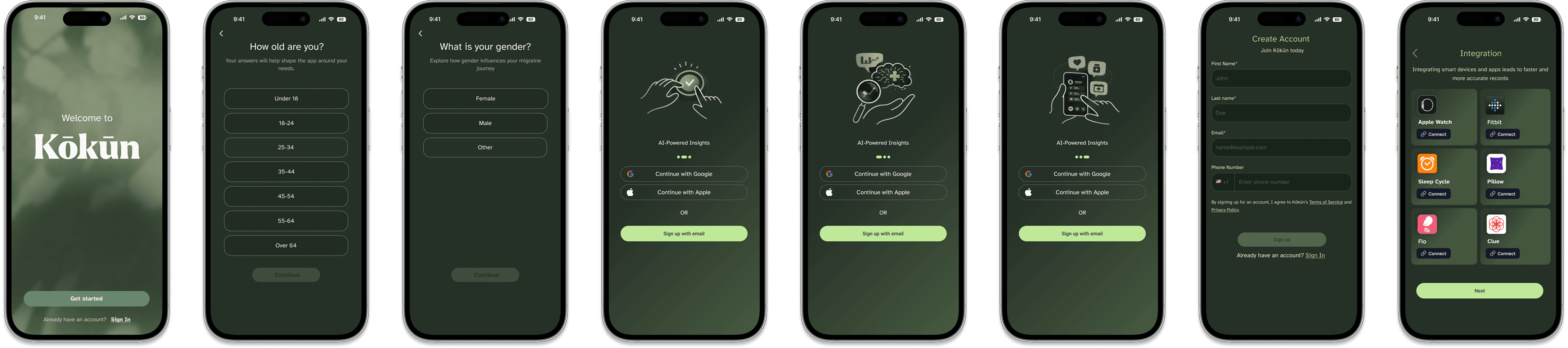
1. Dark Mode Onboarding
The fundamental design constraint for a migraine app is that users might be setting it up during or just after an attack. Every friction point is amplified — bright lights hurt, long flows exhaust, complex inputs confuse.
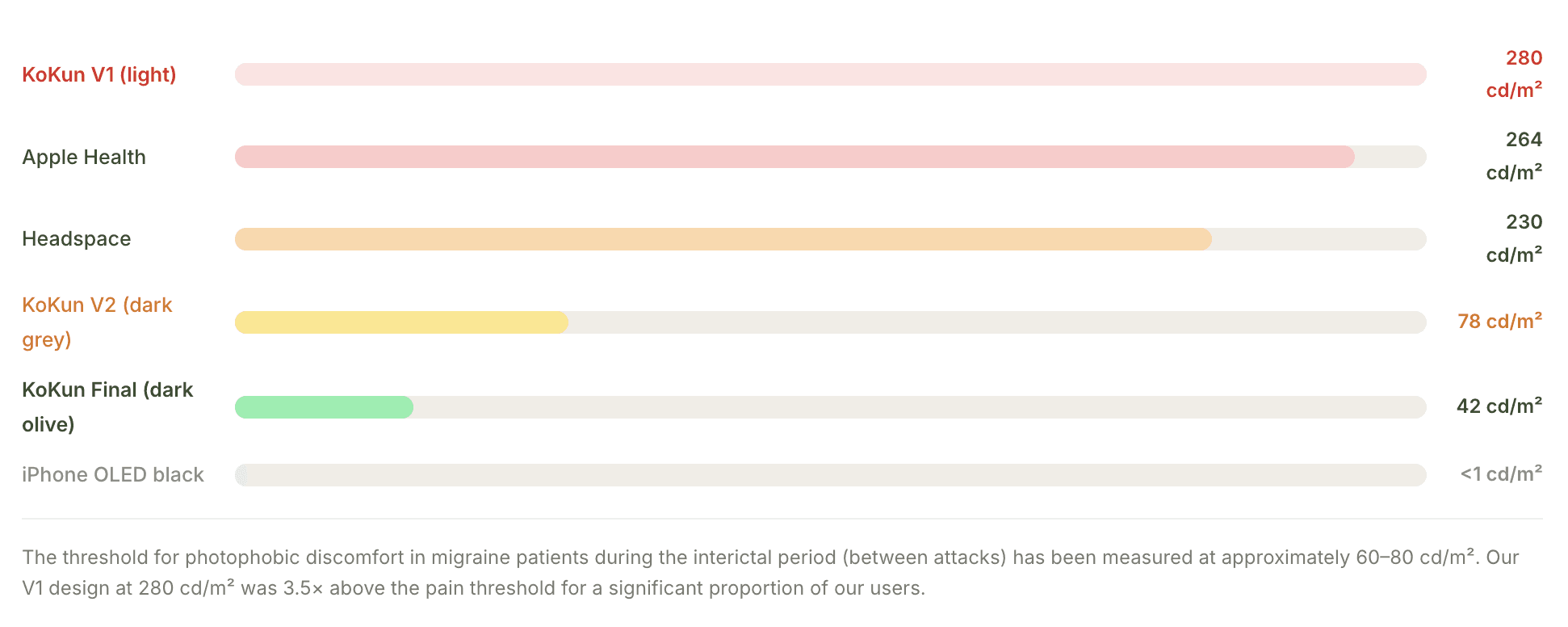
Our research revealed that 67% of users first downloaded migraine apps during or within 24 hours of an attack. The original onboarding ignored this entirely — 9 screens, high-brightness white background, and a generic "tell us about yourself" form that bore no clinical relevance to migraines.
Design Iterations: Generic Form
Our first onboarding prototype used a conventional health-app pattern: a multi-field form collecting everything at once. It completed clinical requirements but violated every migraine-specific constraint we'd identified in research.
Problem Space
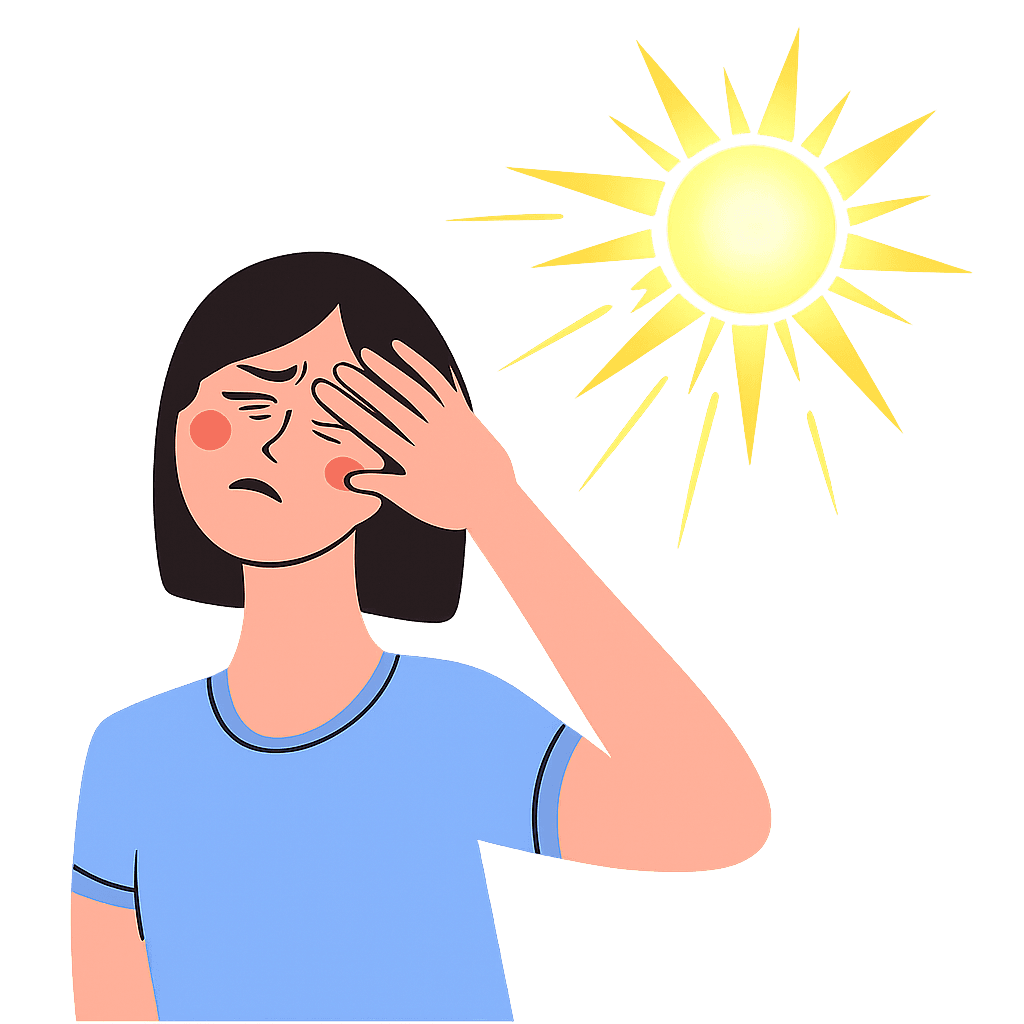
Users with migraines were abandoning onboarding because the bright white interface caused physical eye pain — 52% dropped off before completing it.
Solution
A low-luminance surface with a muted chromatic base shifted the visual hierarchy away from high-contrast strain, while progressive disclosure through segmented selection patterns reduced decision fatigue — dramatically lifting task completion.
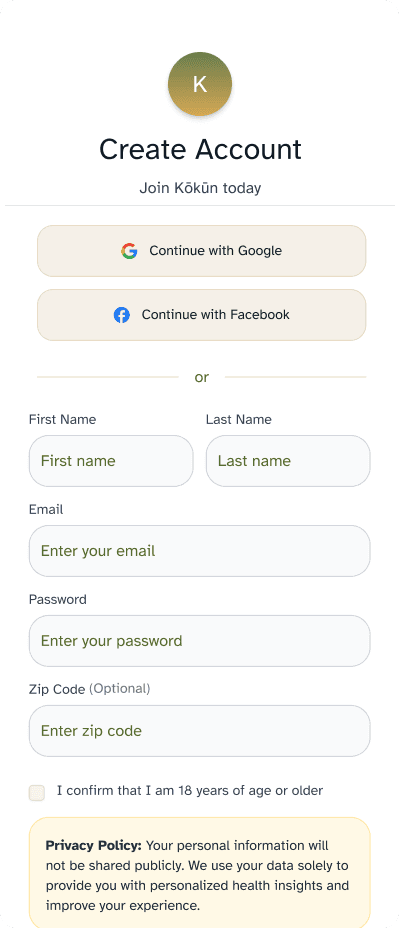
Iteration 1
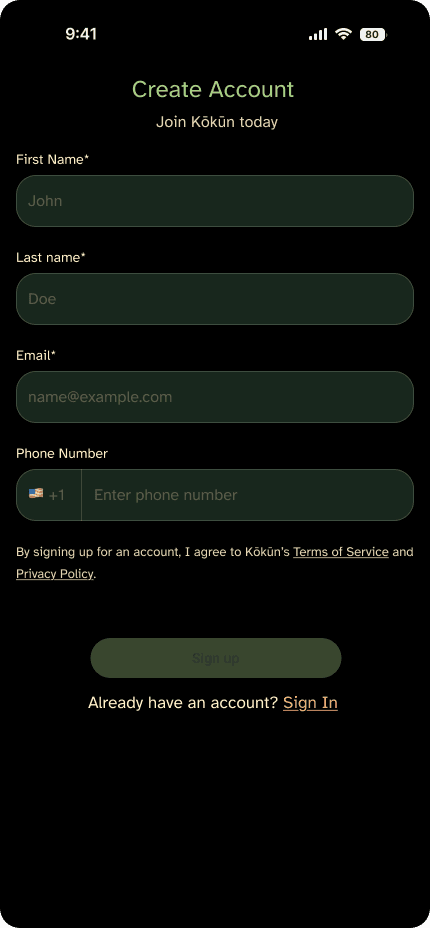
Iteration 2
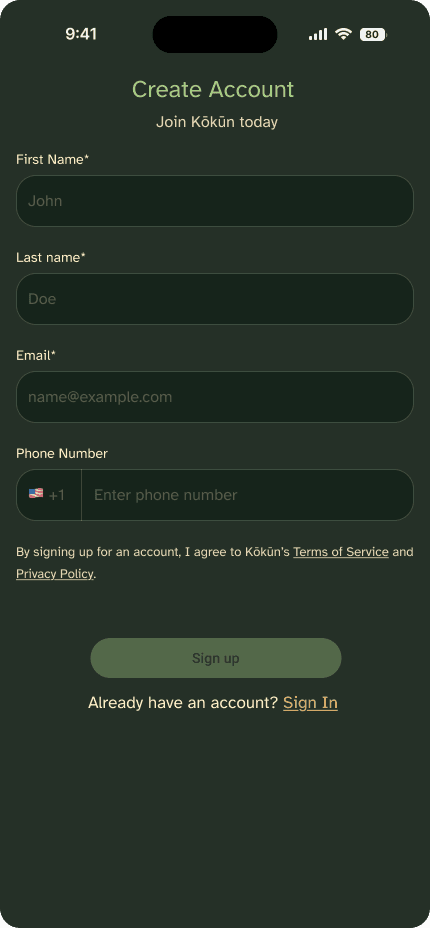
Final Design Iteration
Collaboration, and Feedback
Our first onboarding prototype used a conventional health-app pattern: a multi-field form collecting everything at once. It completed clinical requirements but violated every migraine-specific constraint we'd identified in research.
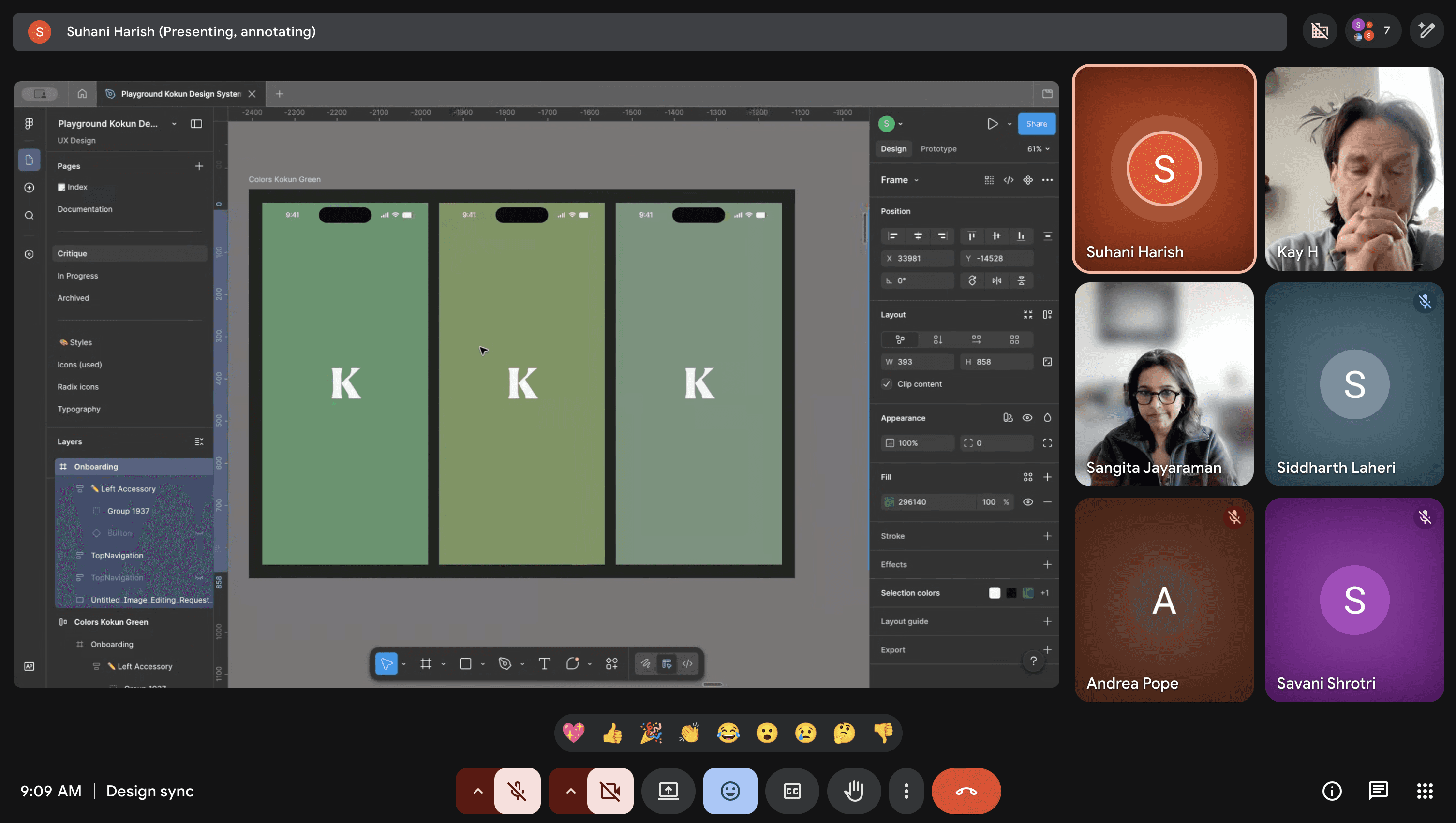
2. AI-Chat Assistant
KoKun's AI chat was designed to be a knowledgeable companion — not a symptom checker. Users should be able to ask real questions about migraine management, get curated resources, and feel genuinely heard.
The challenge: most health AI chatbots feel clinical and detached. KoKun's users are people dealing with chronic pain — they need warmth, nuance, and actual depth. The AI had to behave like a knowledgeable friend, not a medical disclaimer machine.
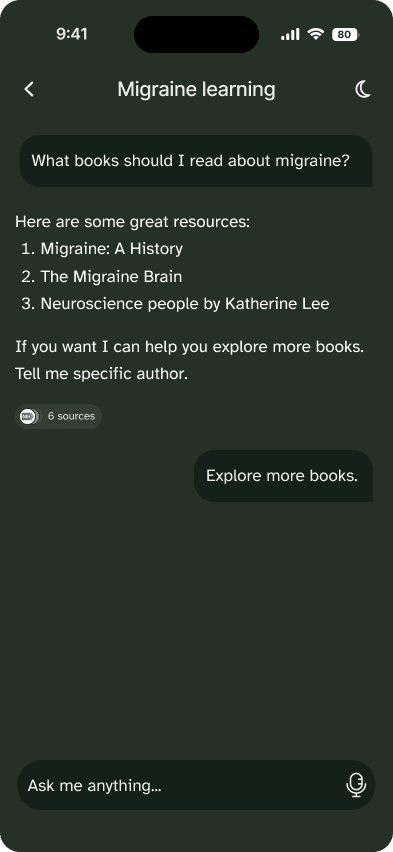
Iteration 1: Q n A Bubbles
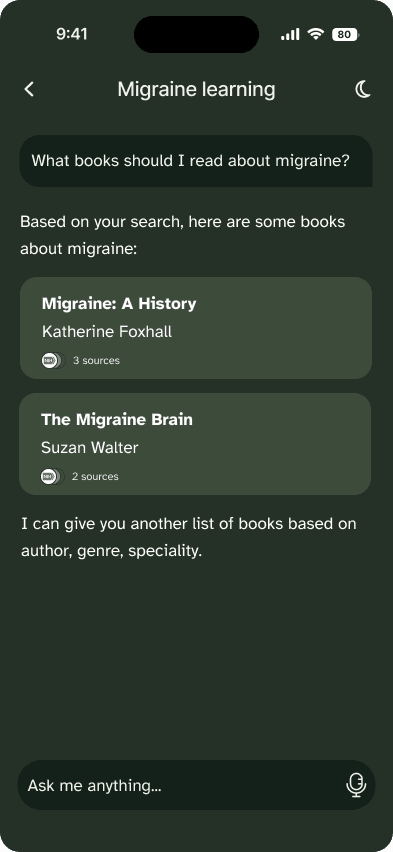
Iteration 2: Resource Card
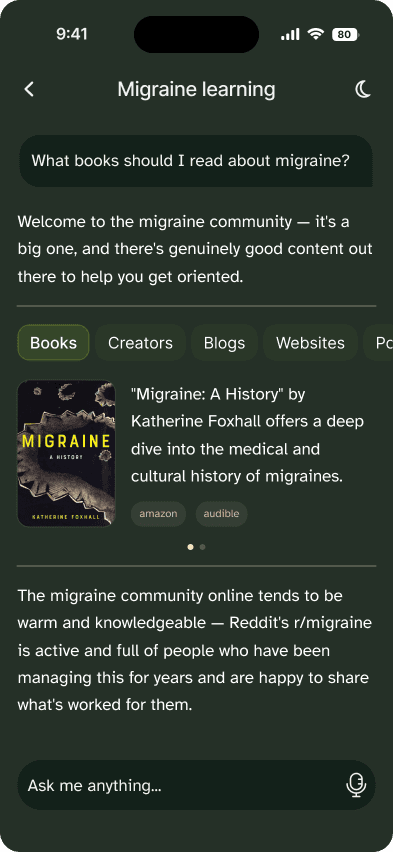
Iteration 3: Categories + Resource Card
Usability Findings- AI Chat
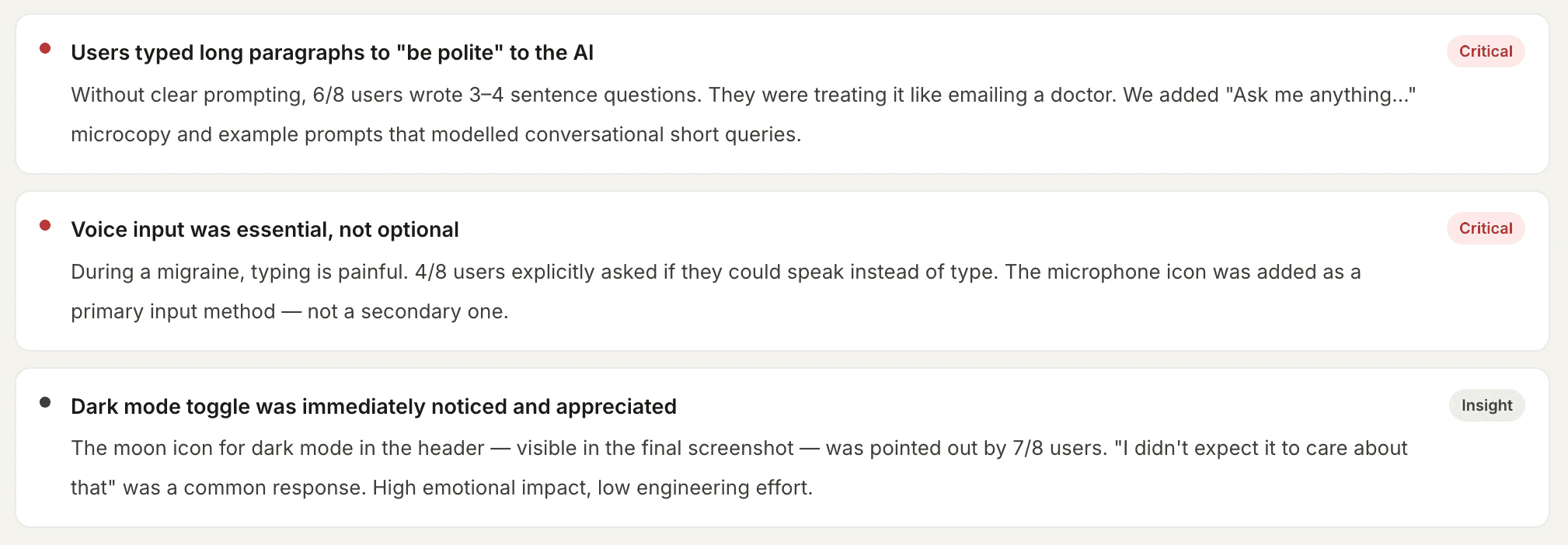
Dark Mode- Onbaording
A chromatic surface progressively guides users through clinically meaningful segmentation, age, gender, intent, before transitioning into account creation, establishing trust and personalisation before the product is even unlocked.
AI Chat Assistant with categories
From a personalised greeting that sets intent, through a live search state, to contextually categorised resources — the flow transitions the user from question to insight without friction, keeping them oriented within a single, uninterrupted surface.
Dev Handoff
Design that survives the build, and strengthens it.
Handoff began on day one, not at the end. Engineers joined the HMW workshop, received annotated Figma specs before sprint planning, and reviewed working prototypes for interactions that static screens couldn't communicate — reducing mid-sprint pivots to a single isolated incident across the entire project.



Production ready code
Our first onboarding prototype used a conventional health-app pattern: a multi-field form collecting everything at once. It completed clinical requirements but violated every migraine-specific constraint we'd identified in research.
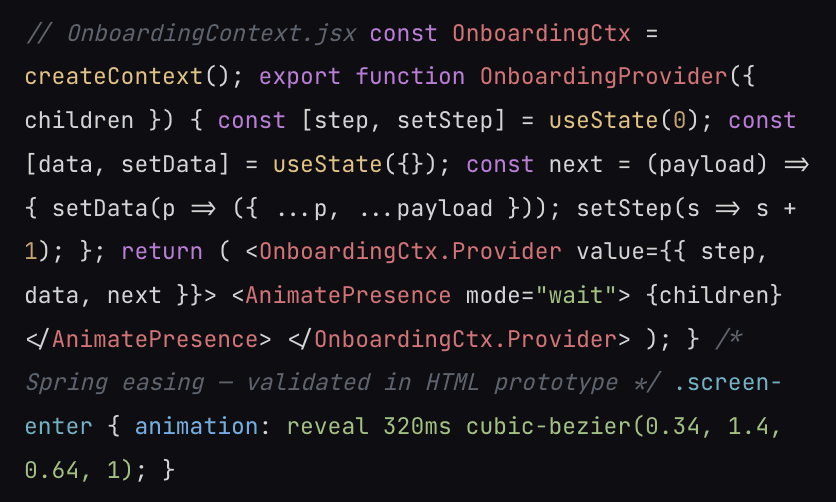
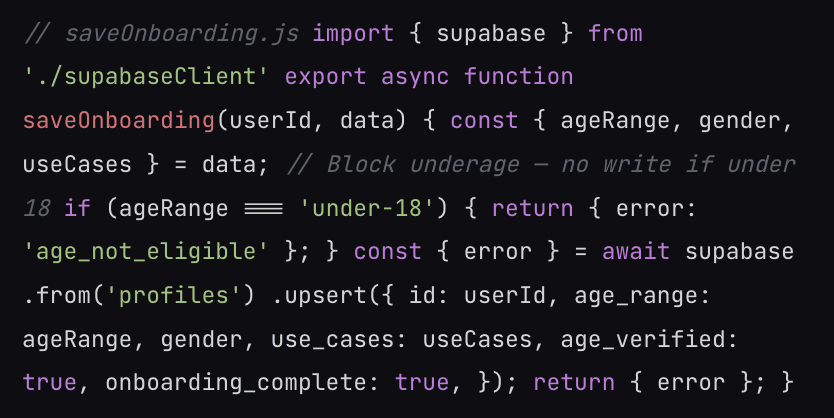
Few snippets of the code
Impact
89%
Onboarding completion rate (was 48%)
4.8 ★
AI chat satisfaction score (n=920)
−72%
User reports of eye strain during onboarding
3.4×
More voice queries vs. typed (AI chat)
Reflection
The user's physical context is part of the design brief.
Clinical advisors belong in initial weeks.
Engineers in the workshop from day one.
Code as a design tool, not just a handoff format.